Learning About Turntables
What is yesterday becomes tomorrow
Background
I originally wrote and published most of this information in 2001. Sadly, many DJ's stopped using vinyl between 2004 and 2007, due to the proliferation of various digital innovations, such as high-end pitch-controlled CD players, computer software, and so on. However, vinyl has been making somewhat of a comeback in the past couple of years, to my delight, so I decided to update my "Learning About Turntables" page to help bring it to a wider audience. Learning to DJ using vinyl records is quite difficult, but no other type of DJ'ing is quite so satisfying once you get good at it. I want to keep this page fairly current, so any future updates will happen here, rather than on my older blog post.
When I get a free evening sometime, I'll re-shoot all of the photos on this page to upgrade them to higher resolution. These photos were originally taken in the early days of digital photography, when digital cameras held information on 3.5" floppy discs!
Introduction
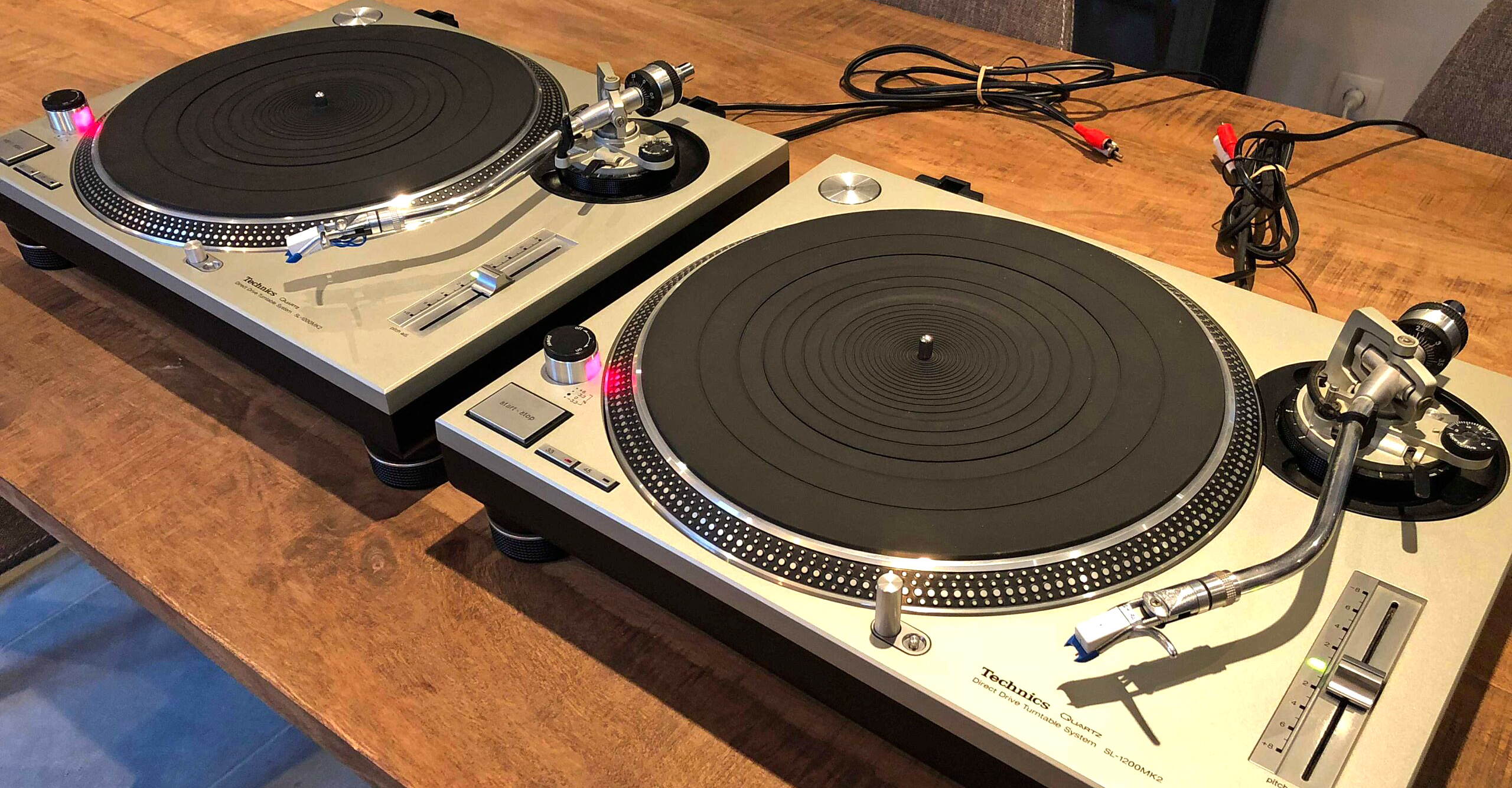
In this section, we're going to discuss what happens when you open your new turntables, and how to put them together and get them up and running. We're going to use as our example the Technics T1200 series, which have been widely acknowledged as being the world standard in turntables for several decades running. The T1200's, also known as the "Tech 12's" or "Tech 1200's," are known as direct drive turntables. That is because the motor that spins the platter is directly connected (via magnet) to the platter on the turntable that spins around. There are other types of turntables available, known as belt-driven turntables. A belt-driven turntable still has a motor, but there is a belt that connects the motor to the platter to spin it around, much like a fan belt on a car engine is used to turn around the fan behind the radiator. Direct drive turntables are generally priced higher and are more desired, because their design is far more sturdy, and gives the user a more constant speed of revolution for the platter.
The Technics series of turntables traditionally had three main sub-types, known as Mark 2's, Mark 3's, and Mark 5's. These were designated as T1200 MK2's, M3D's, or MK5's. The MK5 has a designated model number of T1210 instead of 1200, presumably to indicate that significant improvements were made. The differences in the three types are fairly minor. For instance, MK2's have a pitch control slider that has a "click spot" in the middle, whereas M3D's have a smooth slider as you move through the middle. MK5's have a smooth slider than can be set for two different adjustment ranges. We'll get into these differences in more detail, later in the video.
Panasonic, which now produces the Technics brand, stopped producing decks for several years starting in 2010. However, they re-started production lines in 2016. Since 2019, there has been a new MK7 series available, with several minor variations.
For now, let's just get right into the basics of opening the box on a new "deck" (slang for turntable), and getting set up.

Setting Up a New Turntable
When you open up your box containing a brand new turntable, the first thing you'll discover is the clear plastic cover. This is the dust cover. When you're not using your turntables, you should always keep the dust cover on the turntables. Dust can get into the inside of the turntable casing, and collect on the magnet, slightly reducing its effectiveness over time. The covers can break pretty easily, so be sure to put them somewhere relatively safe when you are using the turntables.
The next thing that you will find is a set of three different items which are about the size of a large record (a circle that is twelve inches in diameter). The first of these is called the "slip mat." It is probably made of a black material like felt, and is fairly thin and flexible. The purpose of the slip mat will be explained shortly in greater detail. The second item will look like a clear plastic version of the slip mat, made of a material sort of like waxed paper. This is meant to perform a similar function to the slip mat, although there is far less friction involved. Scratch DJ's and turntablists would be most likely to use this item. However, many other people simply throw it out, or lose it eventually. The final item will be the rubber mat which again is the same size as the slip mat. However, this rubber mat provides a lot of friction. Many DJ's also throw out their rubber mats. The mat is more useful for someone who is not DJ'ing, and who is setting up their turntable for home listening use.
Here's a video that I filmed with my roommate Marc Carnes back in 2001. Had we known that it would get so many views over the years, we would have tried to set it up more professionally. Also, this was filmed with an analog video camera, and when we converted it to digital, the maximum resolution at the time was very low (360p). Back then, our video editing computers had about 1/100th the power of a typical modern smart phone. So please be patient with the quality here.
How Does a Vinyl Record Work?
When a DJ is playing records, he or she will want to be able to control where the song starts and stops, and rarely plays a song through from the beginning to end. To understand this section better, you have to understand how a record works. People commonly refer to a record as having a lot of grooves on it that contain the music. This isn't entirely true - there is actually only one groove for each song. However, it is very thin, and spirals around the record sometimes as many as a couple hundred times through the length of a single song, giving it the false appearance of having a whole series of circular grooves. The DJ will set the needle down at the beginning of the record (on the outside quarter inch) and as the record revolves on the platter, the needle will fall into the beginning of the groove containing the music. As the record continues to spin, the needle continues to sit in the groove, and the whole tone arm assembly that holds the needle will slowly move in toward the center of the record as it continues to revolve.
The needle is effectively stationary this whole time (except for the gradual movement of the tone arm toward the center of the record), while the playing media, the record, is moving underneath it. As the needle "moves" through the grove, it is jostled up and down, but always (we hope) remains in the groove. The tiny jostling of the needle directly correlates to the vibrations which are interpreted by the human ear as sound, therefore, the bumps on the vinyl are interpreted by the needle and transmitted by the turntable to a mixer, and this tiny signal is amplified by the system and comes out as music.
To move to a different point in the record, all a person has to do is lift the tone arm with the needle, move it in or out on the record, and then set it down again to start listening at a different point. However, since the section of the grove that represents one full revolution of the record can hold as much as two seconds worth of music, this is not accurate enough for most DJ's. What if you picked one point on the record, and the place that you want to start comes half a second later? If you move the needle "over" by another grove, to the next adjacent part of the spiral, you have gone too far by about a second. This may be unacceptable. Therefore, the DJ needs to have the ability to find the exact spot on the record that represents the spot he or she wants to start the music at. To solve the problem, the DJ may need to spin the record around to a different part of the groove.
The Purpose of the Slip Mat
If the record were to be securely attached to the platter of the turntable, then the DJ would have to be able to spin the platter around to find that spot he is looking for. However, that would be hard on the motor. A motor is designed to spin constantly at a set speed, and physically forcing it to spin more quickly or less quickly, or to hold it in one place while the motor is straining, will eventually damage the motor. This is why the slip mat was invented . The record sits on the slip mat, and then the slip mat sits on the platter. There is a great deal of friction between the record and the felt of the slip mat, so when the record spins, so does the mat. However, there is only a very small amount of friction between the felt of the mat and the steel surface of the platter, therefore, the DJ can spin the record (and slip mat) around as much as he or she wants, while the platter just keeps revolving underneath. This way, there is very little pressure on the motor at any time. The DJ can stop the record in place by applying gentle pressure to the surface of the record, and the friction between the DJ's fingers and the record keeps it from continuing to move, despite the fact that the platter underneath is still spinning.
For this very reason, when you learn to DJ, you should eventually learn to speed up and slow down your records using either the pitch control fader on the deck, or by using your hands to temporarily speed up or slow down the record. Some DJ's will try to speed up or especially slow down the record by putting their hands on the outside of the platter and using friction there. This is a habit that you should try hard not to get into. It makes sense for someone to want to do this. By slowing down the platter itself, you avoid putting your fingers on the records, and this keeps them cleaner. If you have dirty or sticky fingers (which gets worse when you start to sweat) then you may also have problems where the record "grabs" faster than you would expect, and thus you feel like you cannot control the record as much. However, by using the platter itself to slow the record, you are working against the motor, which goes counter to the whole point of using the slip mat in the first place. Also, it is harder on the motor, so you may run the risk of having to get the motors "reconditioned" (having the motors calibrated or replaced) more quickly.
There are different types of slip mats available. Scratch DJ's and turntablists place the highest demands on their slip mats, because they do far more cueing (sliding the record forward and backward) than a club DJ would. For this reason, slip mats designed for turntablism are usually the thinnest, and have the least amount of friction. Slip mats designed for less technical DJ's will usually be thicker and have a little bit more friction. A tiny amount of friction is needed, after all, so that when you let go of the record and slip mat, it "grabs" the platter and begins to revolve. If you have a slip mat with practically no friction at all, the speed of revolution is slightly less consistent, therefore a slip mat with a bit more friction will let you "hold" a mix at a steady speed for a longer period of time.
The Platter
The next item that you will probably find in the box is the platter. This is a large circular metal plate, with a very smooth surface on the top. The platter probably has three holes in it - one in the centre that guides the platter down over the nipple (the motor spindle of the turntable), and two larger holes elsewhere that are simply for convenience in placing your fingers into, when mounting or removing the platter. The platter will probably have a label with a set of pointer attached to it. Read these carefully. They talk about how to treat your platter properly.
Miscellaneous Parts
As you continue to remove items from the box, you will find things like the "random piece of white plastic" that has no apparent purpose, a head-shell assembly, a counter-weight for the tone arm, a centre-piece for seven-inch ("forty-five" rpm) records, and a grounding post for your mixer. The piece of white plastic does actually have a purpose - once your headshell and cartridge have been assembled, the round end of the white plastic piece can slip over the round base of the headshell, and then the long white part of the plastic will be in the right position to cover the needle, preventing it from damage. The other miscellaneous parts will be discussed shortly.
The Base of the Turntable
If you remove the main housing of the turntable from the packing material, and turn it upside down, you will see some cords and wires protruding from the casing. There should be three in total. The first is a thin grounding wire. The second is a paired phono (RCA plug) cable, with red and white plugs for the right and left channels respectively. The last is the power cord for the turntable. The power cord is for obvious purposes. Don't plug in your deck yet, if you are setting it up right now.

The reason that your turntables have a grounding wire is that an immense amount of static electricity is built up from the constantly rotating wire. On top of this, the felt of your slip mat can build up additional static electricity as it rotates in harmony with the platter, or as it is cued back and forth. The ground wire coming from the turntable goes to the mixer and allows for an exit for the static electricity, so it does not remain built up in the turntable. This minimizes the crackle and popping noises that you sometimes hear when playing a record (which are sometimes due purely to static electricity buildup, and sometimes due to the surface condition of the record). In addition, if the turntable is ungrounded, the static electricity might exit through the phono signal cords into the mixer, giving what is known as a ground "hum" that sounds very obvious, especially during quiet parts of your records. This ground hum is often reinforced when the bass of the record is heavy. As a side note, it IS possible to "self-ground" your turntables so you don't have to worry about that annoying grounding wire, which incidentally can be ripped off quite easily if you aren't careful. That process is fairly easy if you are handy with tools, and ends up having the same result as if your turntable was properly grounded to the mixer. A video tutorial which shows you how to self-ground your turntable can be seen at the bottom of this page.
When plugging the turntable into your mixer, make sure that you plug it into a channel input that is labeled as "phono". The reason for this is simple - a turntable (originally known as a phonography, hence the popularity of the term "phono") puts out a different strength of signal than a conventional piece of electronic equipment like a CD player. A turntable derives its noise signal from the vibrations of the needle as it runs through the groove on the record. That signal is much weaker than the signal that comes out of a CD player or anything else. Therefore, the mixer knows that it has to amplify any signal coming into the phono ports, by about thirty decibels, to bring it up to the same strength as regular line or CD signals. If you make the mistake of putting a phono signal into a line input, you will probably hear almost nothing, because the signal is too weak. If you make the mistake of putting a CD player into a phono input, you will get an incredibly loud and distorted signal, because it is much more powerful than the mixer expects.
The base of your turntable has four feet that the turntable rests upon. You'll notice that the feet on the Technics 1200's have a special mounting mechanism that allows them to swivel. In addition, they have a screw that allows them to be raised or lowered as need be. You should take advantage of this to ensure that the surface of the platter is as level as possible. If the platter is tilted, even by a fairly small amount, your needle is much more likely to skip out of the groove.

The Top of the Turntable / Orienting Your Turntable
There are lots of parts visible on the surface of your turntable. When you first set it down, the writing should be easy to read on things like the "start/stop" button. If the writing does not appear to be in the correct orientation, you have the turntable facing in the "wrong" direction. Technically, there is no such thing as the "wrong" direction. You should orient the deck however you feel comfortable. The orientation described above will be used as "standard" in this video. However, if you are a turntablist, you will probably want to orient your decks so they are placed in "battle" style rather than "standard" or "club" style. Battle style means that the left end of the deck is facing you, and the right end, with the pitch fader, is away from you. The advantage of this layout is that turntablists, who spend a lot of time cueing their records, do not have to reach over the tone arm to do so, and thus are far less likely to hit the tone arm and skip the needle inadvertently.
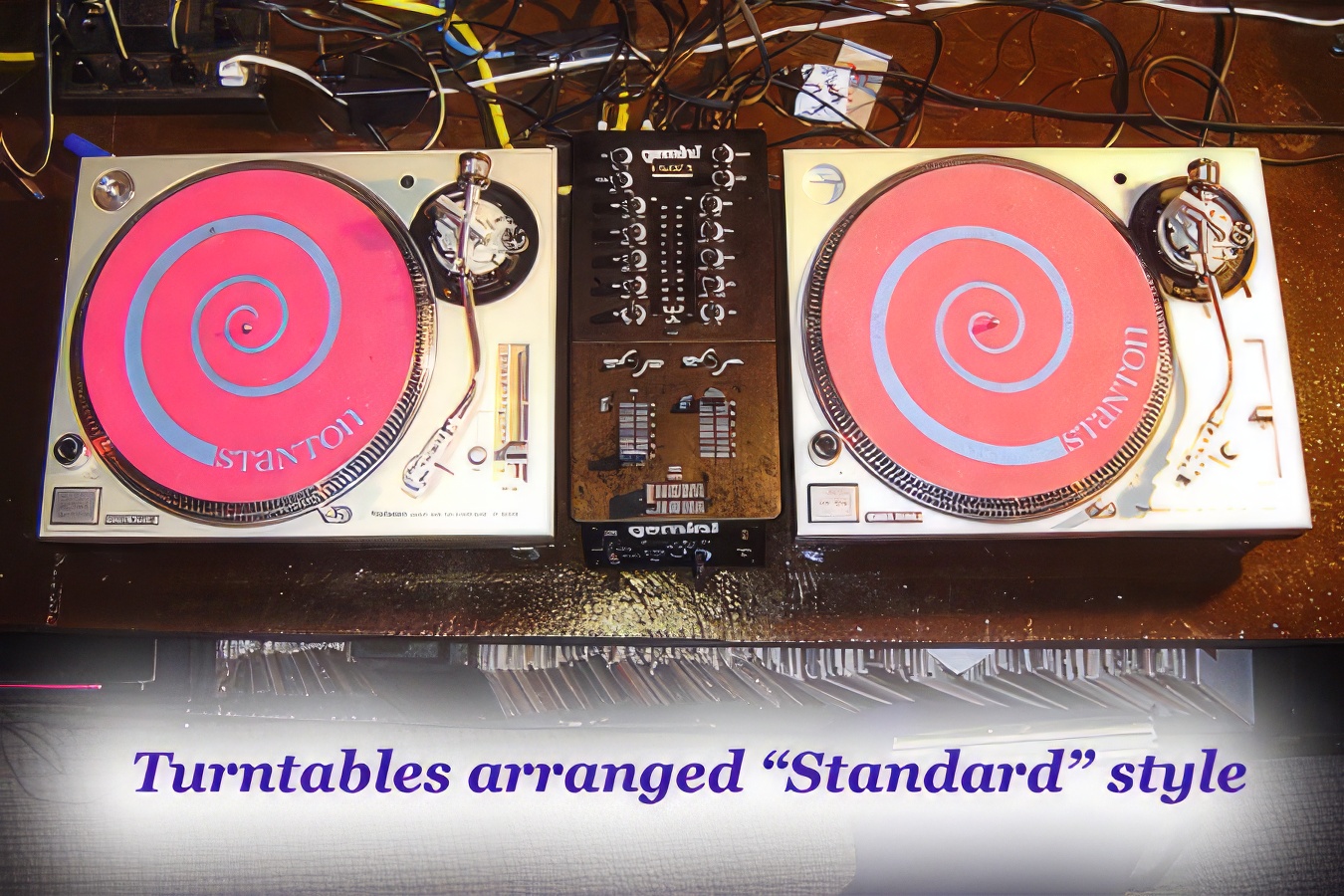
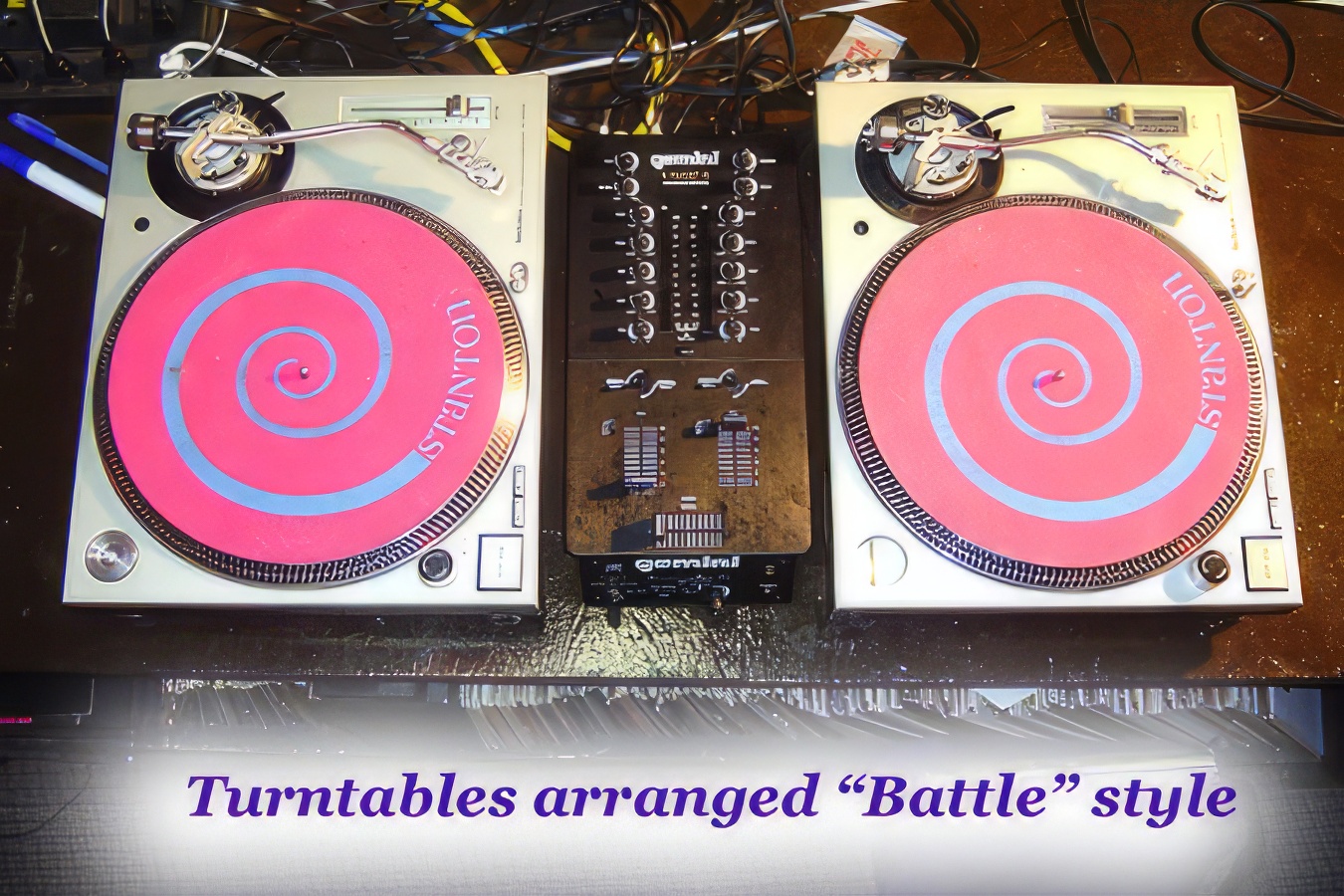
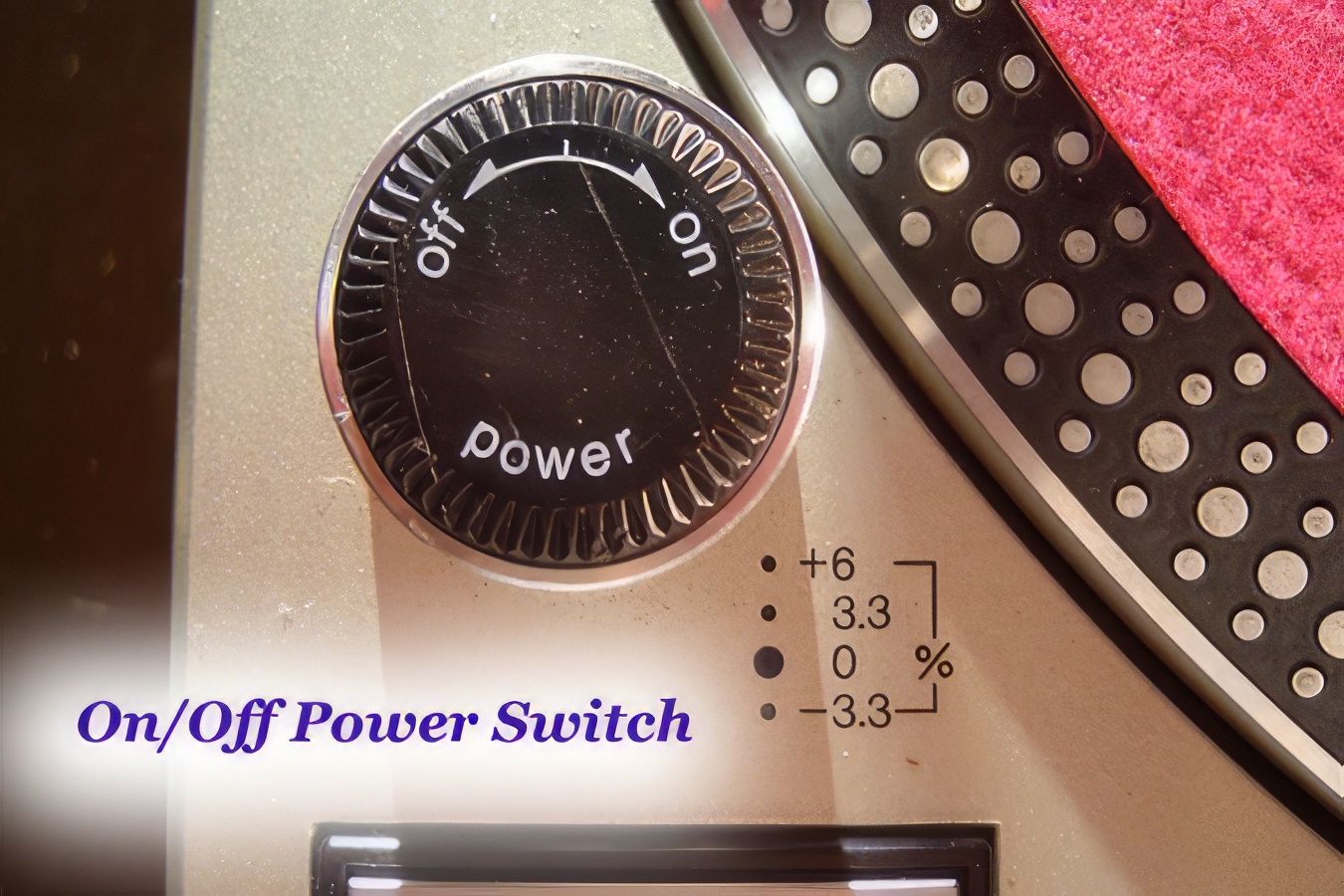
Anyway, let's get back to standard orientation for the sake of simplicity. You will find the on/off button on a raised cylinder on the lower left corner of the deck. This button rotates and has two settings, on and off. Usually, unless the LED indicator is burned out, a little light will turn on to show that the deck has power. There are slight differences between the MK2 and the M3D versions of the Tech 12, when it comes to this on/off switch. The MK2 is unprotected at the top, so it is fairly easy to accidentally hit the switch and turn the deck off, unintentionally. That engineering issue has been resolved with the M3D, where the cylinder is higher and surrounds the on/off switch. It is fairly hard to turn the M3D off, unless you do it on purpose. Sometimes, if a promoter is setting up for a party and is using MK2's, he or she will turn the decks on and then put a piece of electrical tape over it, so the DJ's can't turn the decks off by mistake.
The start/stop button is located in front of the on/off switch. This switch will start or stop the platter revolving, so it is pretty basic. To the right of the start/stop are the buttons to switch between 33rpm and 45rpm. RPM stands for revolutions per minute. If the platter is going 33rpm, it spins about 33 times each minute, or once every couple seconds. If the platter is going 45rpm, it spins 45 times each minutes, or about once every 1.3 seconds. Most records have a marking on them to indicate whether they should be played at 33 or 45. If you play a 33 record at 45rpms, it will sound very high-pitched and sped up, like an "Alvin and the Chipmunks" song. If you play a 45 record at 33rpms, it will sound very slow and low in pitch, and seem to drag.

You've probably heard the term "45" used before, which is slang that refers to a certain size of record, namely one that is seven inches in diameter. This isn't exactly accurate all the time. It is possible, although extremely rare, to get a 7" record that is supposed to be played at 33rpm. Also, there are a lot of large single track 12" records that are designed to be played at 45rpms. I would estimate that about 30-50% of all 12" records are meant to be played at 45rpms. Several decades ago, when phonographs were first becoming common, there was a third speed setting on most phonographs for 78rpms. Records that are meant to be played at that speed are pretty rare nowadays.
One of the miscellaneous piece of equipment that comes with your turntable is a round aluminum disc, about an inch and a half in diameter, that can be stored in a recessed hole in the top left of the turntable housing. Most 12" records have a very small hold in the center, which is about a third of an inch in diameter. This hold fits over the "nipple" in the center of the platter, so that the record does not wiggle back and forth. However, older 45's had a much larger hole in the center of the record, so they didn't fit tightly over the nipple. The aluminum disc is essentially an adapter, which fits properly in the hold in the center of a 45, and allows it to be held securely in place by the small nipple on the turntable.

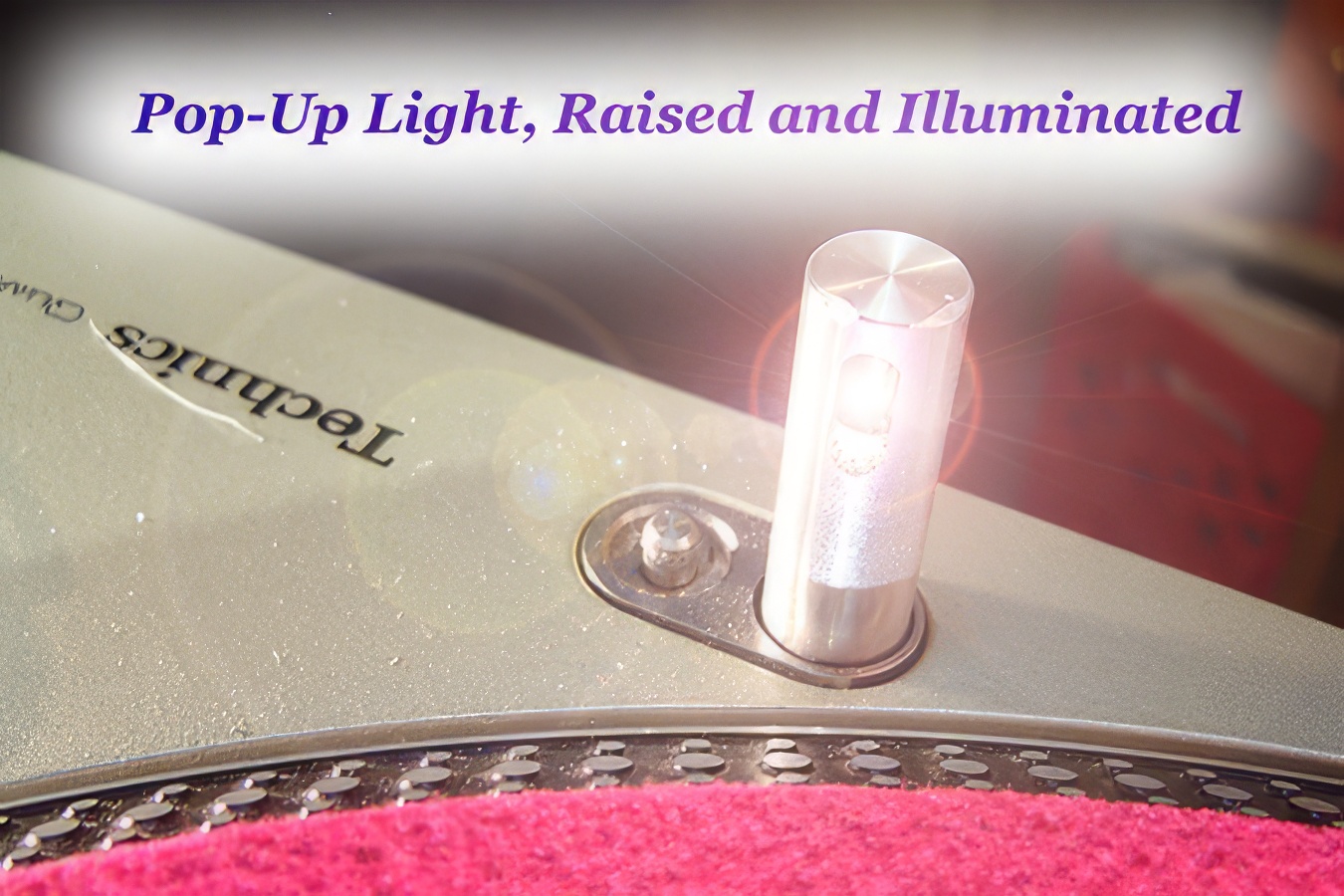
Near the front and center of the turntable, there is a pop-up LED light post. This light post can be pushed down into the table when it is not in use. To release it, so that it pops up and the light turns on, press the tiny button to the right of the post.

Installing the Platter
The next thing that you need to know about is the platter, and how it attaches to the rest of the deck. The turntable should never be plugged in when the platter is not installed. The reason for this is that plugging the turntable in will energize the motor, and the magnet can start attracting tiny particles of dirt, especially those containing iron, which will reduce the effectiveness of the motor. With enough dirt, it can actually affect your speed of rotation.

The shaft of the turntable is another thing to be very careful of. When the platter is not installed, the shaft can be bent fairly easily if another solid object hits it. If you shaft ever gets bent, you are going to be looking at major repairs.
The Tone Arm Assembly
The next area that we will examine is a group of parts that are collectively called the tone arm assembly, in the back right corner of the deck.
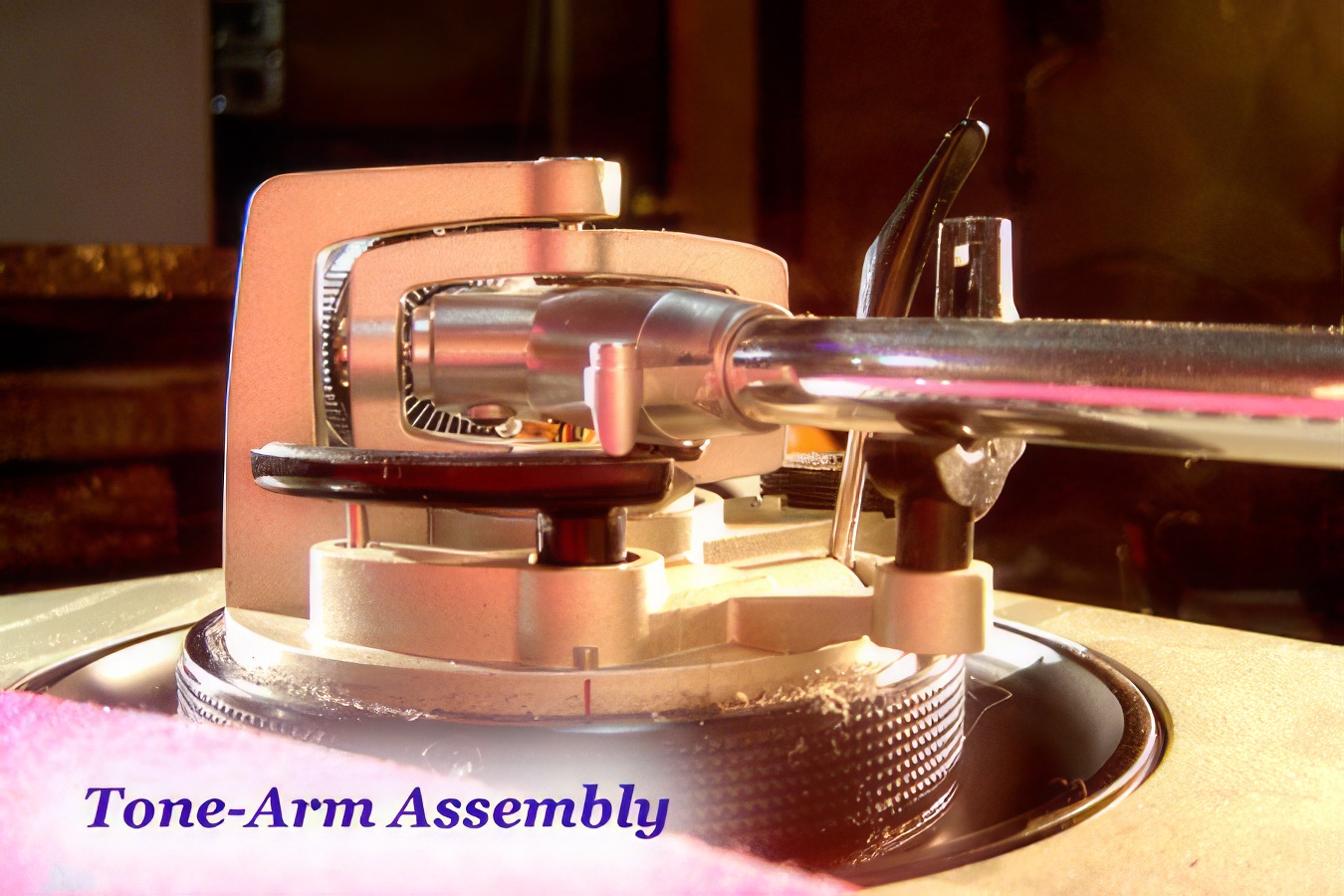
The tone arm is the long arm which reaches out from the base to extend over the record. The needle itself is attached to a headshell or cartridge, which in turn twists into the end of the tone arm.


There is a pivot and swivel combination near the end of the tone arm, although the tone-arm extends back behind this pivot, so that a counter-weight can be attached. The counterweight can then be adjusted in or out so that the whole tone arm mechanism balances fairly nicely. The ultimate goal is to have the needle end of the tone arm to be the heavy end of the "see-saw", so that the needle rests on the record. You don't want the needle end to be too heavy, because it wears your record out more quickly, but at the same time, you don't want it to be too light, because then it skips more easily. A moderate amount of downward pressure on the needle is the happy medium that you have to find, and if you switch to a different type of needle or cartridge, you will probably have to readjust your counterweight to find the same overall balance for the tone arm and needle.
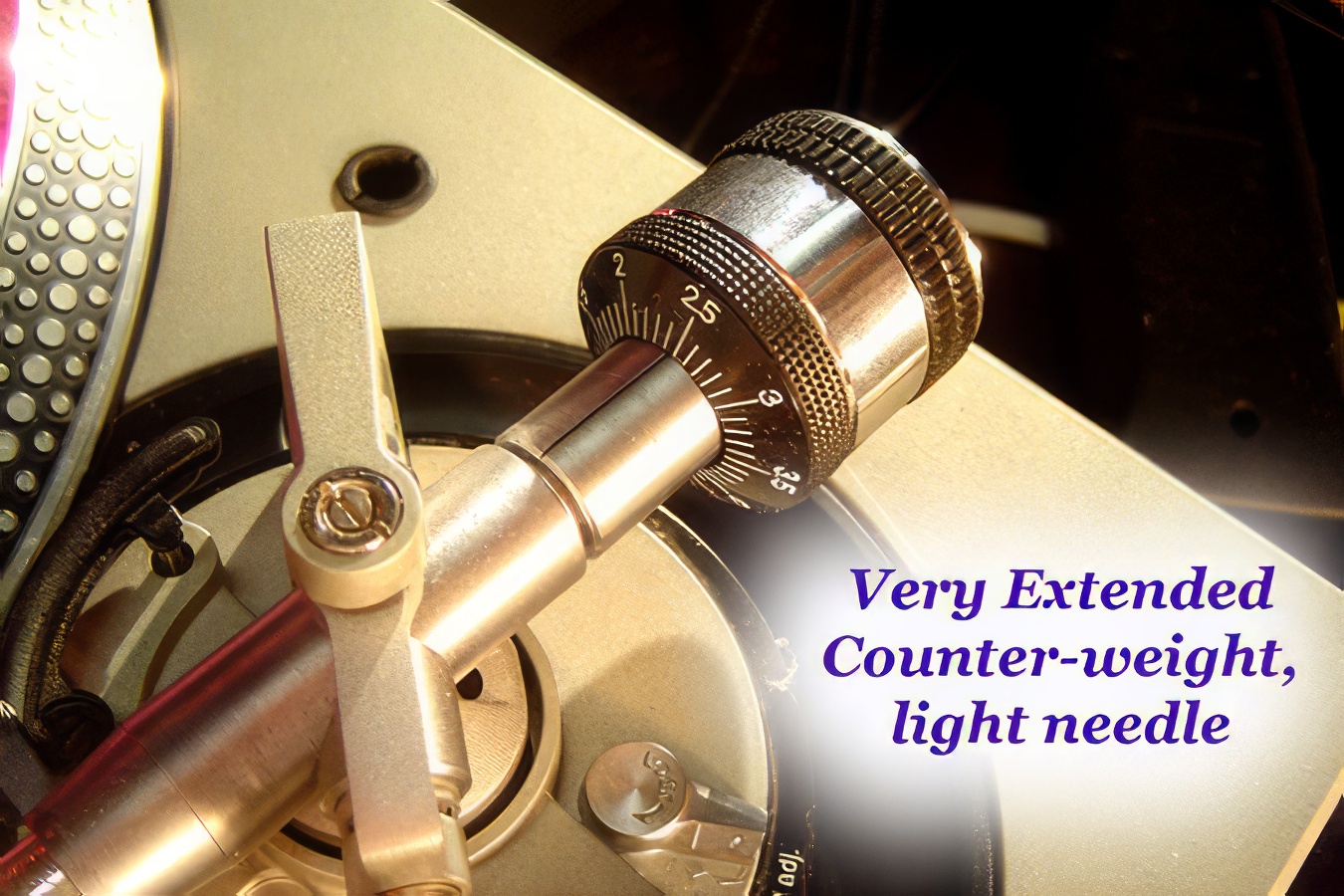

The whole swivel and pivot mechanism is mounted on a base. This base has a round dial which can either raise or lower the whole tone arm by a moderate amount, or about six millimetres. The point of this is to change the angle at which the tone arm is being held compared to the record. In general, you should raise or lower this base so that the tone arm ends up being perpendicular to the surface of the record. There is also an anti-skating dial on the base of the record, which adjusts the likelihood that the needle can skip over the record. Higher settings (numbers) on the anti-skating mechanism usually translate to a lower chance of the needle skipping. You might think that you should automatically set the anti-skating to the highest possible setting, to minimize skipping. However, if you have a record wherein the centre hole is not punched in the middle, the tone arm will tend to wobble back and forth quite a bit as the record plays, and a lower anti-skating setting might be more appropriate. Most DJ's just set this in the middle and ignore it.
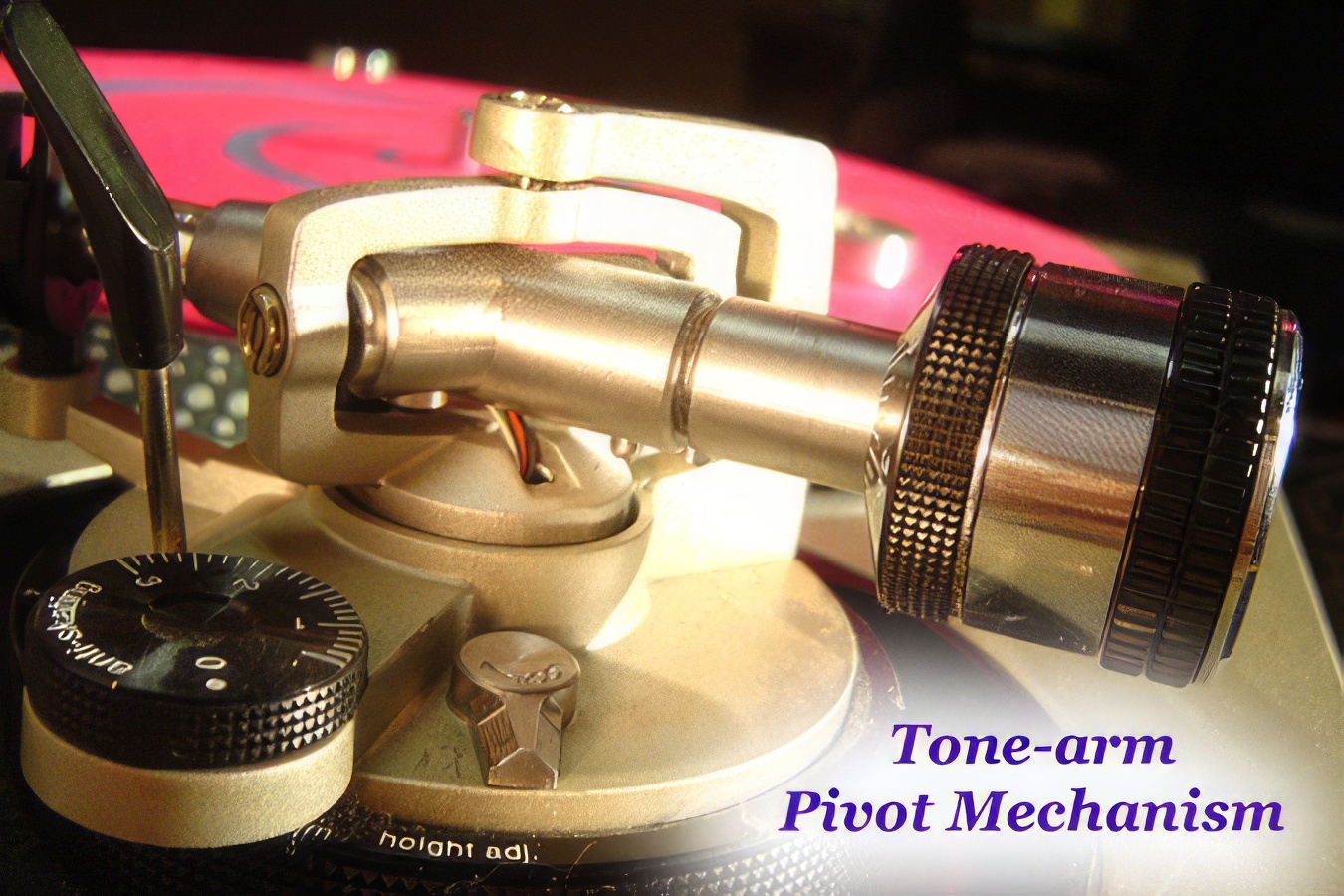
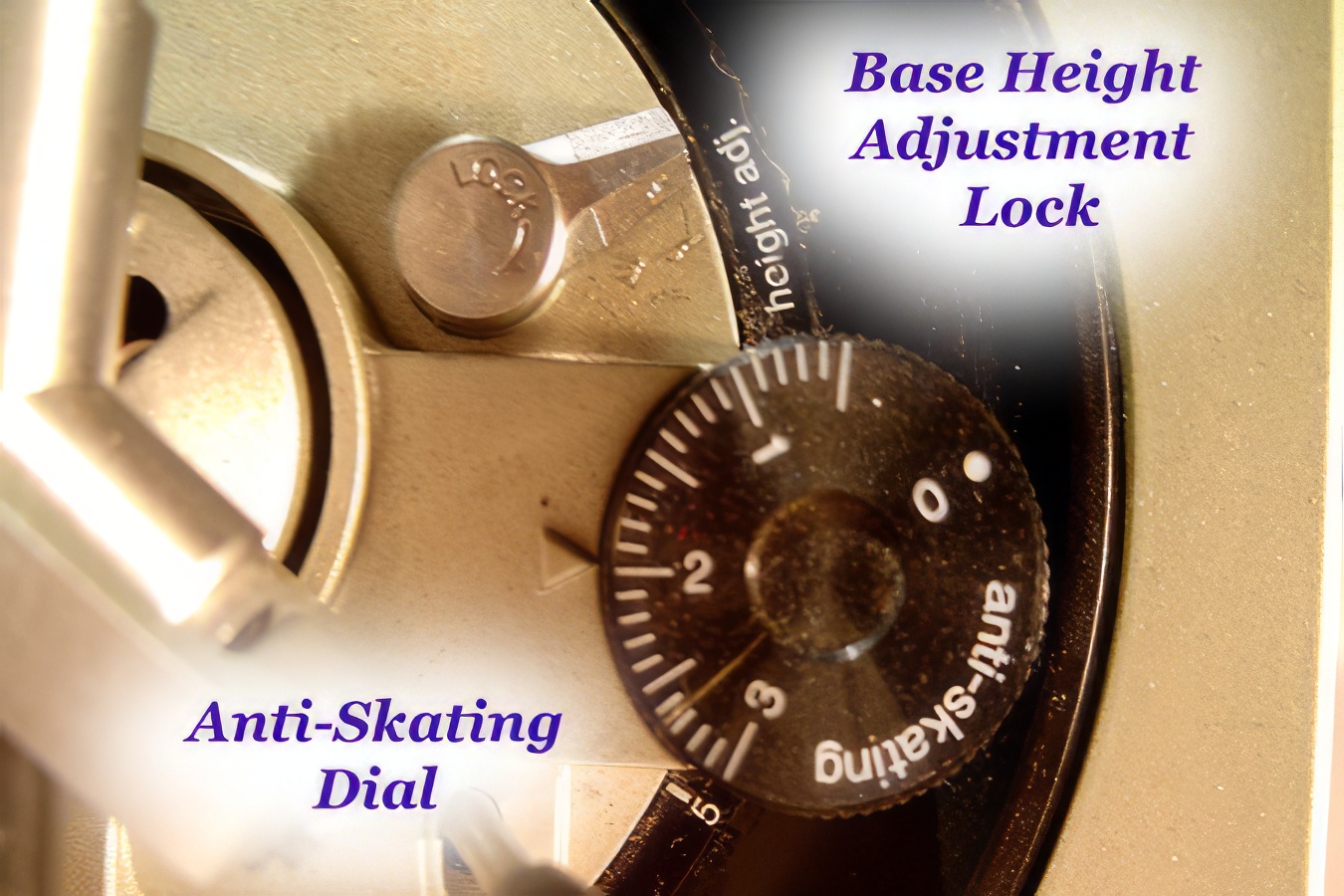
There is a "lift lever" near the anti-skating mechanism. If that lever is fully depressed, the tone arm can drop down low enough that the needle can make contact with the record. If the lever is raised, it lifts the tone arm high enough that the needle cannot touch the record. The lift level is hydraulically (liquid) based, so the power does not have to be on for the lift lever to work. By the way, if your tone arm ever doesn't seem to have quite enough weight to keep the needle on the record, and the counter-weight is at the closest setting, check your lift lever: it may appear to be down, but if it is up even just a couple millimeters from the down setting, it raises the tone arm just slightly so the needle cannot make constant contact with the record.

There is also a tone-arm "lock clip" that can be flipped over the tone arm when the arm is in the rest position, away from the record, to keep the tone arm from swinging around when the turntable is moved. As the end of the night, to properly protect your equipment, you should first move the tone arm to the rest position, then raise the lift level to elevate the tone arm, then lock the tone arm into place with the lock clip, then turn off the power switch and replace the dust covers on the tables.
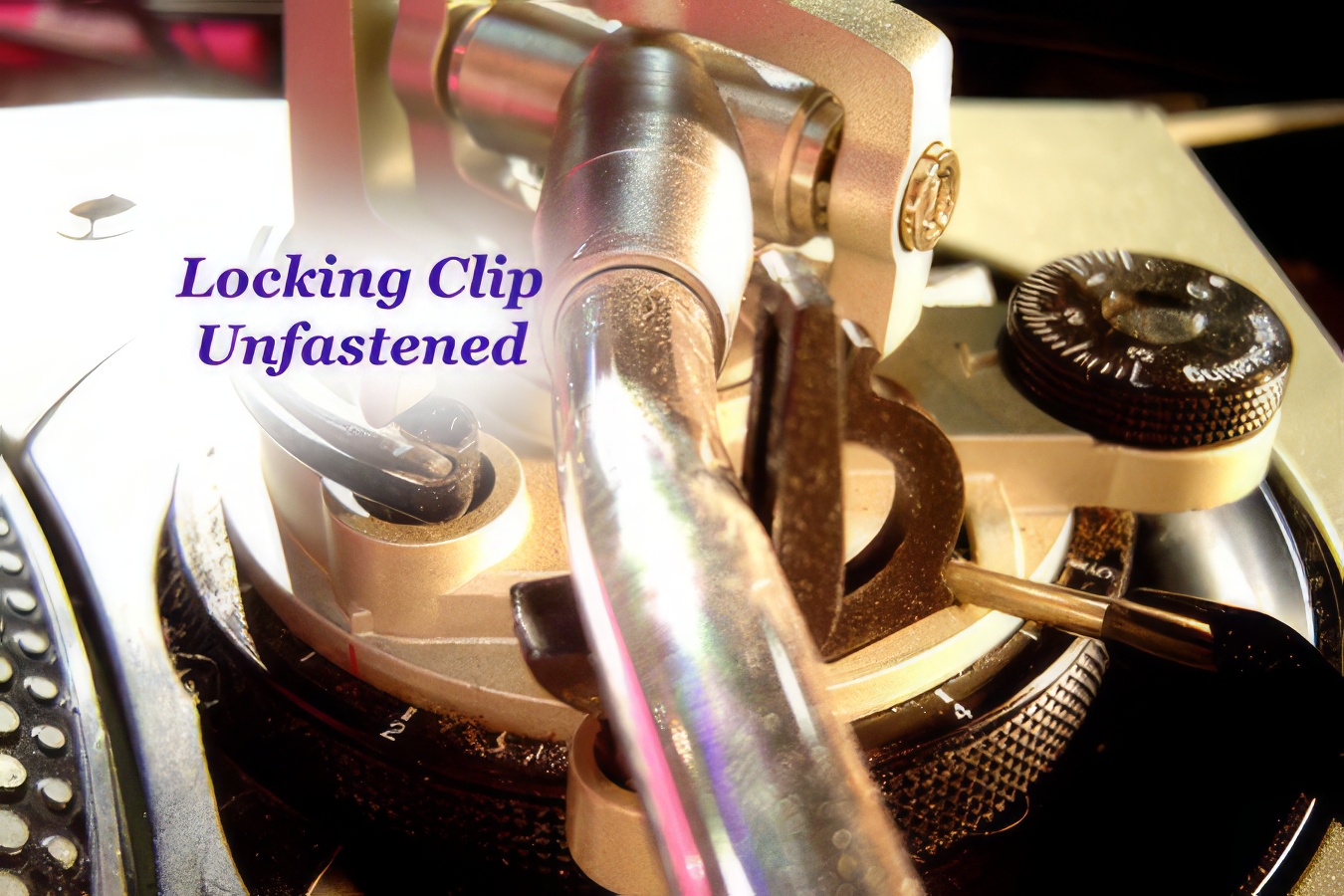
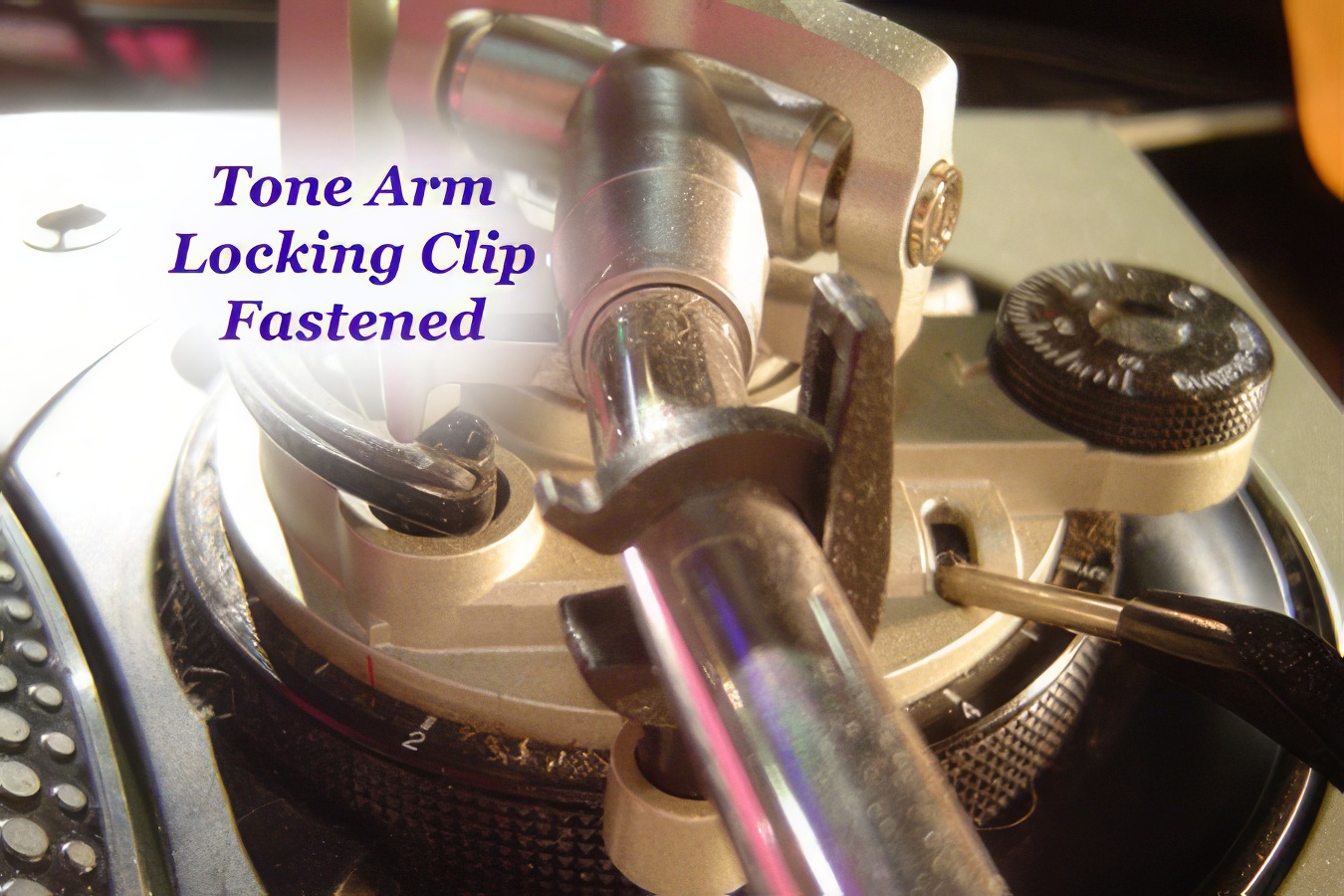
The needles are probably the easiest thing on the turntable to damage quickly. Needles wear out on a regular basis over time, and playing with them on a "heavy" setting on the record will wear them out more quickly. Bumping the tone arm and having it scratch sideways across the vinyl is also very hard on the needle.
In terms of major damage, the entire tone arm assembly is your biggest worry. The vast majority of damaged decks have damaged tone arms. Always lock it away into position when you aren't actually playing on the decks. More importantly, do not allow cords (ie. Microphone cords) to rest on the platter or near the tone arm. It is very easy for someone to quickly grab the microphone, not realize that a loop of the mic cable is under the tone arm, and rip it up and bend it. If you want three rules to protect the life of your turntable, they should be as follows:
1. Buy flight cases if you intend to move them around much.
2. Always be aware of the tone arm, and don't let things catch in it and bend it.
3. If you aren't storing the decks in flight cases, at least keep the dust covers in good shape, and use them when the table is not being used.
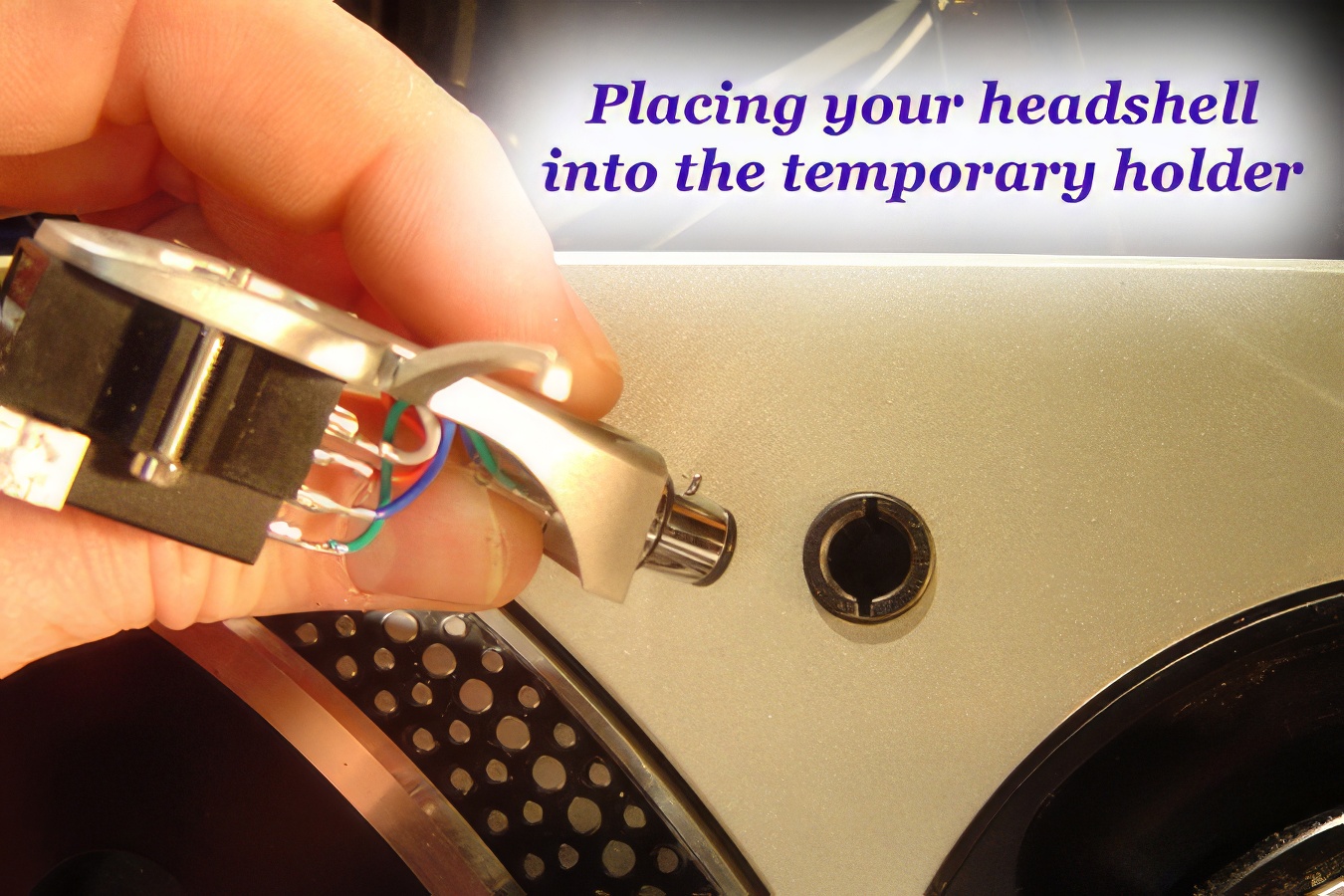
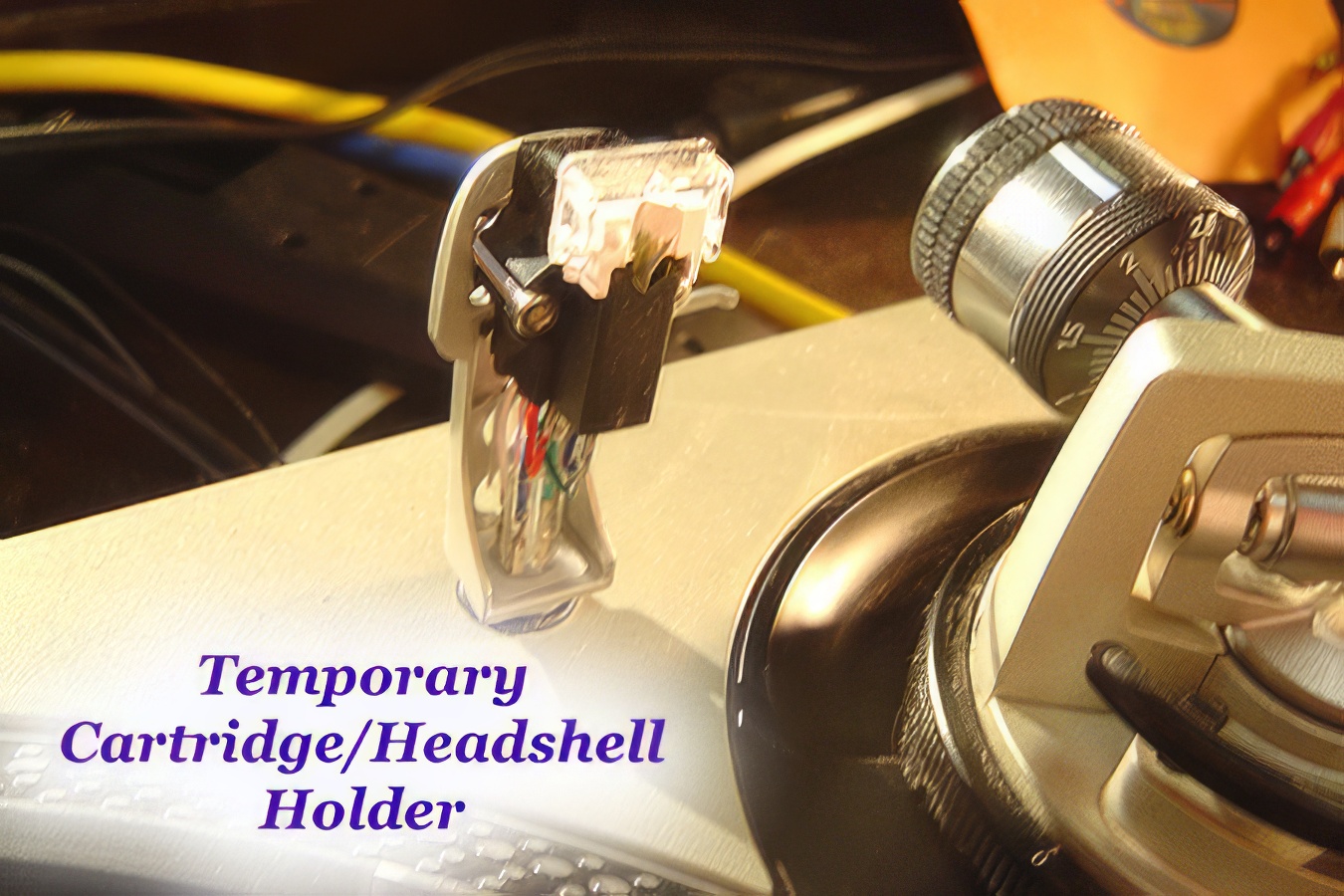
By the way, there is also a little hole in the top of the turntable housing on M3D's that a lot of DJ's don't pay attention to, because they do not know what it is for. If you are playing on someone else's decks and you bring your own "needles" (headshells/cartridges), it is common courtesy to treat the needles that come off the deck with the utmost of care. The M3D has a hole which allows you to temporarily store another headshell out of harm's way during your set.
The last important part of the turntable is the pitch fader.
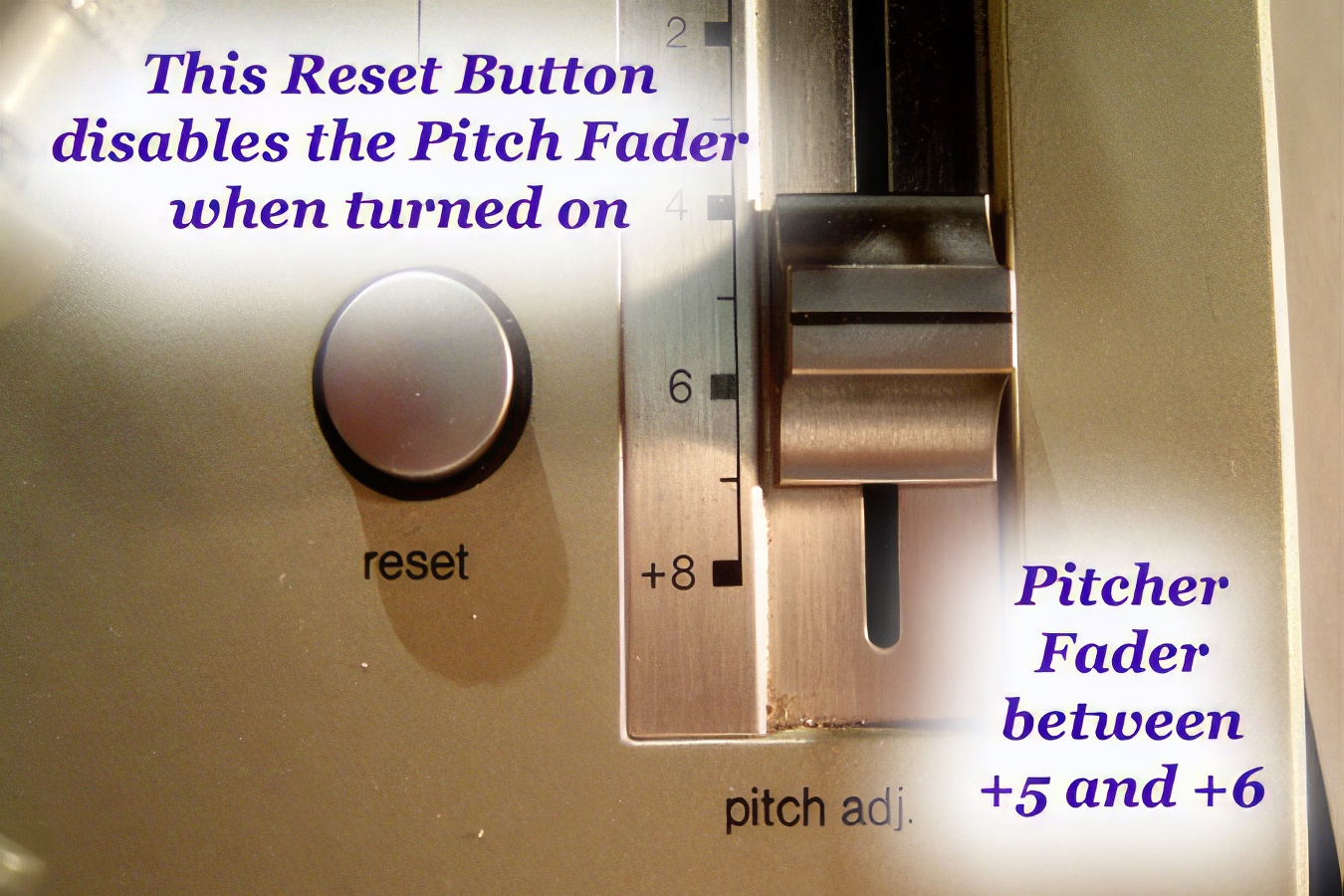
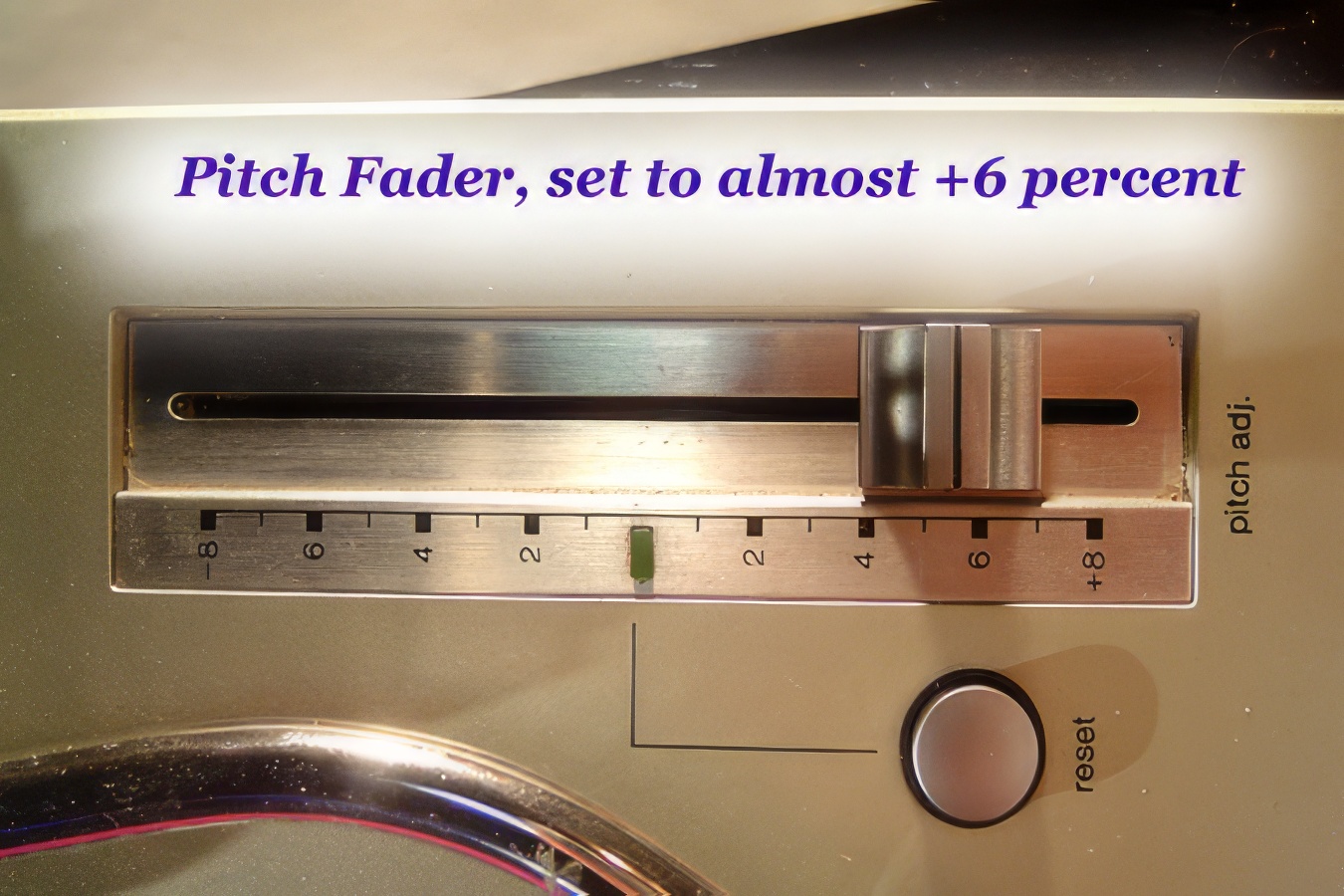
The tech 12's come with a factory-installed fader that allows you to speed the record up by 8%, or slow it down by 8%. Changing the speed at which the record plays will also change the pitch of the music. Playing faster makes the pitch higher, while playing slower makes the pitch lower. Some beginners get confused by the numbers on the fader, and think that they correspond to the beats per minute (bpm) on the BPM counters. This is not the case: remember that this is a percentage increase. Therefore, if your record plays at 132 BPM and you speed it up by six percent, your speed will increase by eight BPM to 140 BPM. You can also think of this in terms of RPM's, although to be honest, it is kind of useless. For instance, a record that normally goes round at 33 revolutions per minute, which is sped up by three percent, will then be going 34 revolutions per minute. The BPM and the RPM numbers do not have a constant correlation across all records, as the BPM depends on how the song was recorded. For instance, several 12" records that all are supposed to be played back at 33 RPM may have arbitrary speeds of 120, 128, 134, and 145 BPM's. It all depends on what the musicians produced. Of course, speeding up any one of these records increases the RPM's and BPM's of that particular record by the same percentage, as indicated on the pitch fader.
The only reason I mentioned the effects on the final RPM's was not because DJ's ever consciously think about this, but to illustrate a point which you will need to learn eventually when you are beat-matching. There are some combinations of records that simply cannot work together. For example, if you are trying to match a track that runs at 96 BPM's with one that runs at 120 BPM's, you cannot make them go the same speed. You can speed up the slow one by 8%, bringing it up from 96 to 103.7 BPM's, and you can slow down the fast one by 8% on your second turntable, bring it down from 120 to 110.4 BPM's, but as you can see, the two speeds are still not close enough to match. In more general terms, with speeds of 33 and 45 rpm's on your deck, and a +/- fader of 8%, you can play records at speeds varying from 30.36 RPM to 35.64 RPM, and also from 41.4 RPM to 48.6 RPM. However, there is always a gap between the most you can speed up a record playing at 33 RPM, and the most you can slow down the same record playing at 45 RPM.
Some turntable manufacturers have addressed this "problem" by using faders that range more than +/- 8%. For instance, any fader than can range by more than =/-15.4% has enough range to "overlap" between 33 and 45 RPM's, by using the edges of the ranges. However, most DJ's don't like adjusting the speeds of their records by more than +/- 5%, because the changes in pitch make the records sound too "pushed" and unnatural.
The pitch faders on the MK2's have a "quartz lock" spot in the middle. If the slider is in the exact middle, so the record is not being sped up OR slowed down, then the LED indicator light comes on. Also, there is a sort of click as the slider moves into that position. This is useful to let the DJ who is moving a fader know when they've moved through the middle without looking. However, it is very awkward when you want to make a very tiny pitch adjustment for a record playing at 0%, because it takes a fairly significant movement to get the slider out of the "click spot." To simplify, you might be able to say that it is easy to play at 0.0%, or at 0.2% and above, but that tiny bit around 0.1% is hard to achieve, because it is like standing on the very edge of a slope. Your slider almost wants to fall into the center. The M3D's have addressed this issue by removing the click spot. You can slide smoothly from the positive to negative pitch adjustments. The one drawback to these new faders was that it was difficult for the DJ to tell when the record was playing exactly without any pitch adjustment, so a reset button was added to the M3D's. Whenever the reset button is pushed in, the LED comes on to indicate that the pitch fader is completely disabled, and the record is playing as if it was at the standard speed with 0.0% adjustment.
To make things even worse, the click spot has a feature whereby the pitch fader is actually disabled at that point. However, let's assume that your fader had decayed in performance, so the entire thing puts out a signal that is 0.2% faster than you expect. Therefore, at the -0.2% position, you are really getting output for 0.0%. This is bad and is another reason why it is often hard to match beats properly at the center of the fader: you might actually have TWO places where the fader is outputting at 0.0% - the spot on the slider which gives 0.0%, and the click spot. In theory, these two spots should be lined up with each other, but that is not always the case on older decks!
The M3D faders have another advantage and that is in longevity. Because the slider isn't constantly moving through the center click point, the pitch fader should be more accurate and should last a lot longer. Quite often, DJ's with MK2's will take their faders out and replace them with the newer smooth faders designed for the M3D's. Interestingly, however, the M3D is not superior in every respect. For instance, the motors are slightly weaker, so many DJ's will prefer, for a very high end turntable, to get an MK2 and put an M3D fader into it. Of course, this "fine tuning" isn't necessary for beginning and intermediate DJ's.
Final Set-Up
So now that you have your decks sitting and hooked up to your mixer, you want to make sure they are completely ready to go. To do this, make sure you've gone through the following basic set of steps:
1. Make sure the ground wire is grounded to the mixer.
2. Make sure the phono plugs go into phono (and not line) inputs on the mixer.
3. Make sure your platter is attached.
4. Make sure your deck is plugged in (preferably to a surge-protected power bar).
5. Make sure the tone arm counter-weight is attached.
6. Attach a cartridge and needle to the end of the tone arm.
7. Check the balance of the tone arm by moving the counter-weight. There should be a slight downward pressure on the needle as it sits on the record.
8. Set the anti-skating somewhere around the middle, and the height of the tone arm around the middle (unless you are an advanced DJ who knows how to set these for personal preference).
9. Drop the lift lever, and undo the tone arm lock clip.
10. Turn the turntable on, and you should be ready to start using it.
It is always good to check the left/right balance on each turntable, to ensure that both channels are coming through the mixer. Sometimes you will find that only one is coming through. If that is the case, check the cartridge first and make sure it is firmly attached, as that is the usual culprit. If that doesn't work, make sure that the phono leads are plugged into both channels (red and white) on the back of the mixer.
Model Numbers and Serial Numbers of the Technics SL-1200
There is a good discussion of the history of model numbers and serial numbers of the Technics SL-1200 available online at Wikipedia, at this link: https://en.wikipedia.org/wiki/Technics_SL-1200
Other Brands Besides Technics
There are several other world-known turntable manufacturers, including Stanton, Vestax, Gemini, and Numark. Each of these manufacturers makes a variety of models, many of which are decent direct-drive models. We recommend that you stay away from belt-driven turntables at all costs. Technics has been the undisputed world leader in turntables for decades. The Technics 1200 series is going to be the table of choice at well over ninety percent of the clubs and parties that you might play at, anywhere in the world. However, that does not mean that they are the only good model out there. The other manufacturers have improved their models greatly over the past five years or so, and to be honest, have a lot to recommend them to beginning DJ's. Older DJ's will often suggest that this advice is somewhat scandalous, and will argue strongly against buying anything but Technics. However, the truth is, the Technics decks are only slightly better than the rest, but the competition has much more attractive pricing. If you're getting into the industry and need to buy equipment, you're looking at spending a lot of money on decks, mixers, amps, speakers, headphone, needles, and vinyl. Buying a mid-model turntable from one of Technics' competitors is a good way to save you some money at the start. If it is any consolation, should you decide to upgrade to Technics decks a year or so down the road, you can always sell your low-end used decks to another beginning DJ. Of course, if you decide to splurge and buy Technics decks right away, and then decide later that DJ'ing is not for you, at least the Technics decks have very high resale value and are highly sought after. It is not uncommon for year-old decks in good shape to be resold for 60-70% of the original purchase price, whereas you might only be able to get 40-50% of the original price for competing brands.
Some competing models have some strange features compared to the tech 12's. Pitch faders are often slightly different, with range from +/- 6% to +/- 50%. Sometimes, the faders work in reverse, with "faster" being away from the DJ, and "slower" being toward the DJ. Some decks have a "reverse" button that starts the platter spinning backwards (of limited use). Other decks have straight rather than curved tone arms. The theory behind that is that a straight tone arm is more useful for high-end turntablists due to the altered tendency to limit skipping. Finally, the strengths of the motors of different models (even within each company) can vary widely, and in some cases, the stopping and starting power (the torque) can be adjusted with a level on the side of the deck. No two models of turntable are exactly the same, BUT if you become familiar with the Technics 1200's, the industry standard, you will quickly feel comfortable playing on any other type of turntable with just a few hours practice.
The following series of photographs (illustrating some of the features on Numark and Vestax decks) will convince you that even though there is a great deal of variety on the surface between different brands of decks, they usually offer the same basic features, so you shouldn't be too disoriented when moving to a different brand than you are used to. The major differences (which are reflected in price) will become evident in the long-run, in terms of how long your equipment (motors, etc.) lasts.
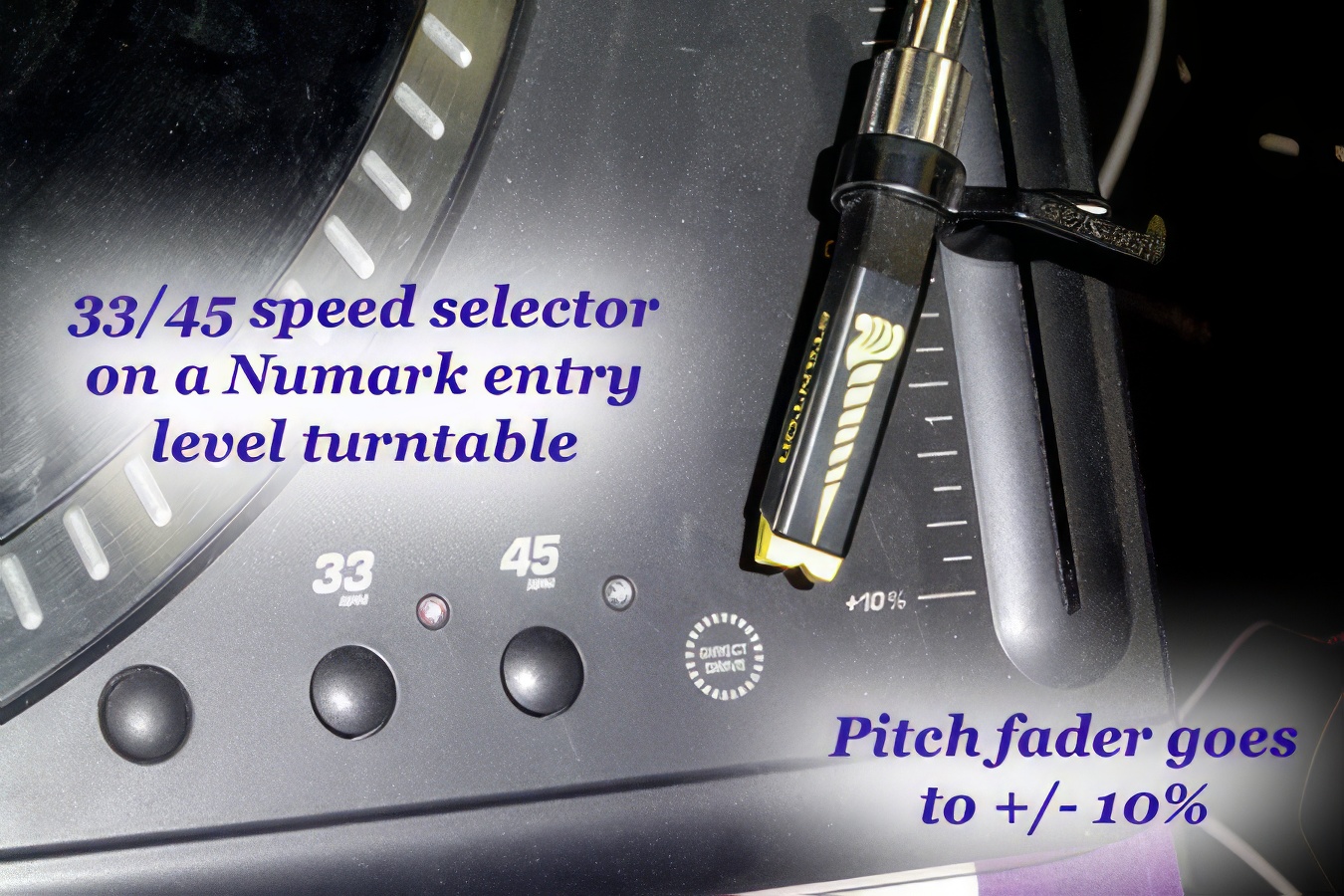 This shows the speed selectors and pitch fader on an entry-level (low price) Numark deck.
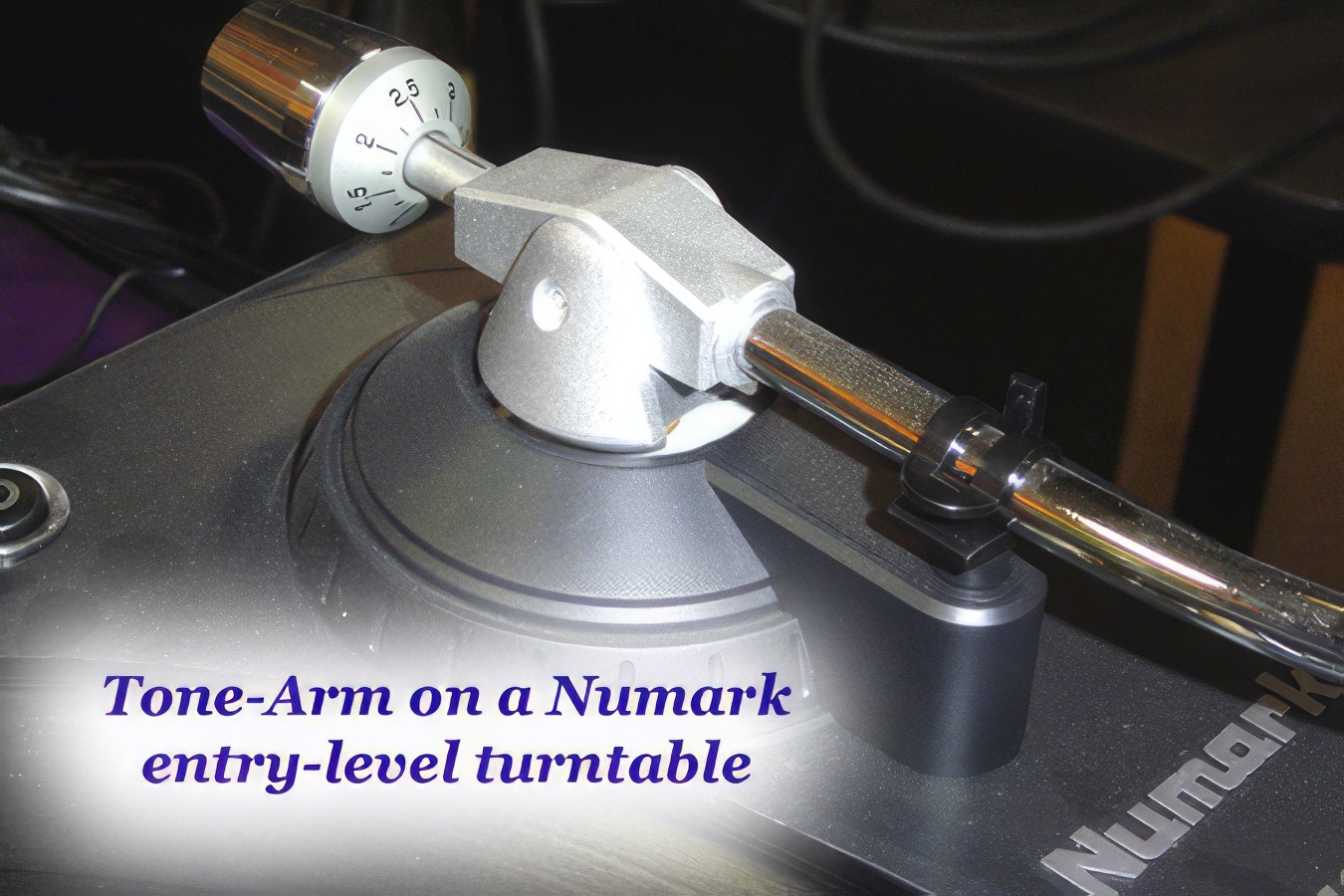 The tone-arm assembly on this Numark deck is quite basic.
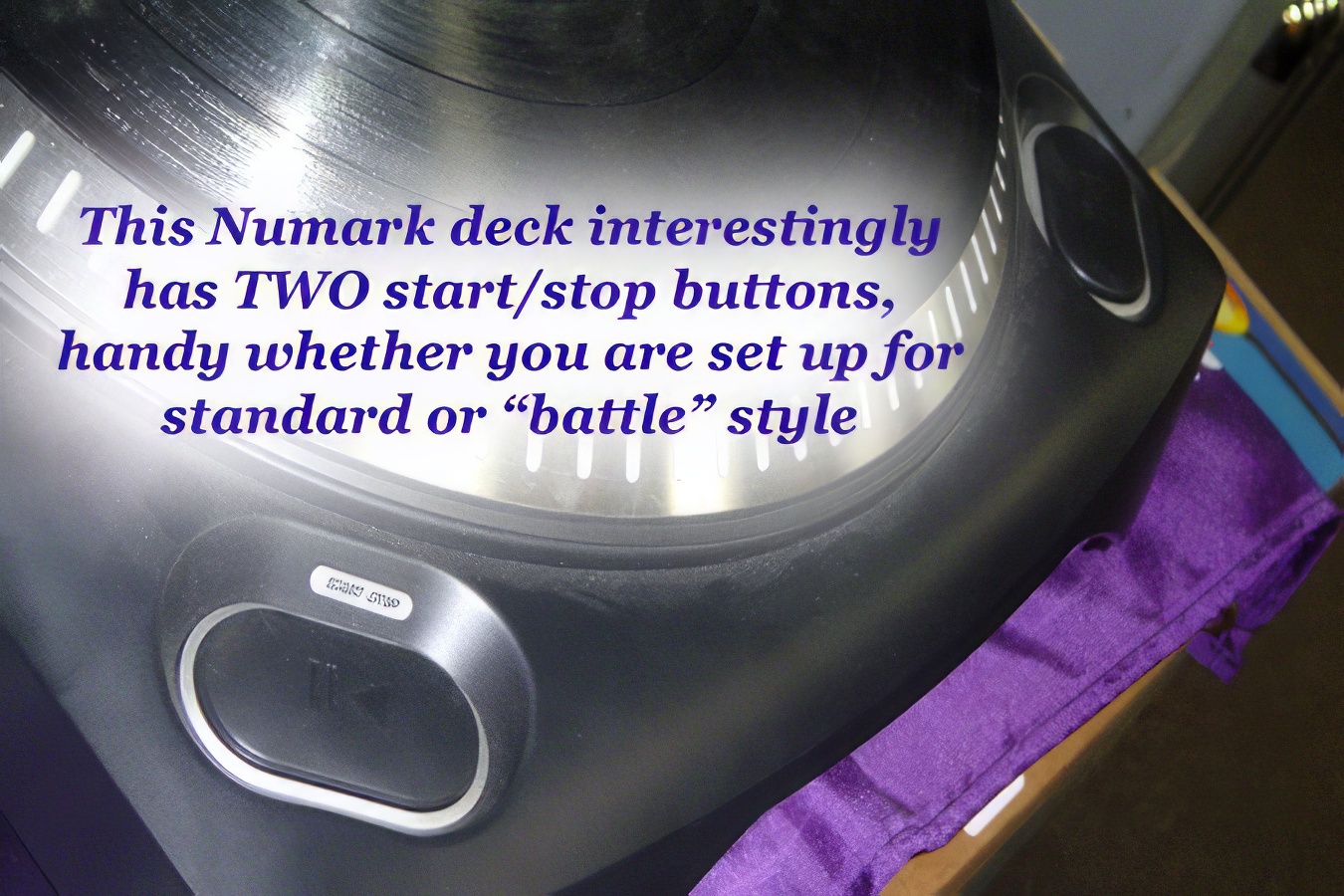 One feature of this Numark deck that is NOT often found on more expensive models is dual start/stop buttons.
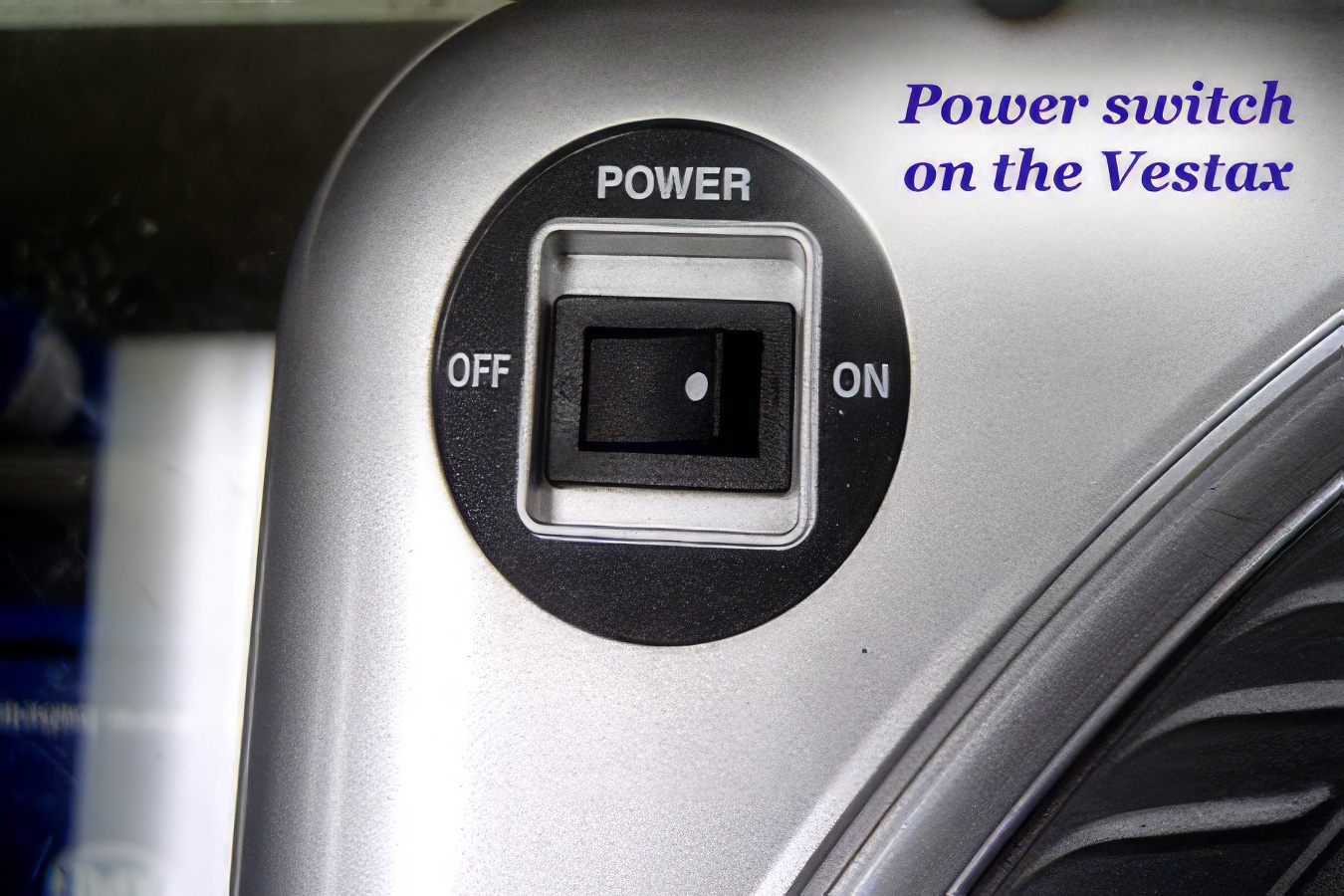 Moving to a Vestax model, the power switch (top left corner) is harder to hit accidentally.
 The start/stop and 33/45 speed selector buttons on a Vestax model.
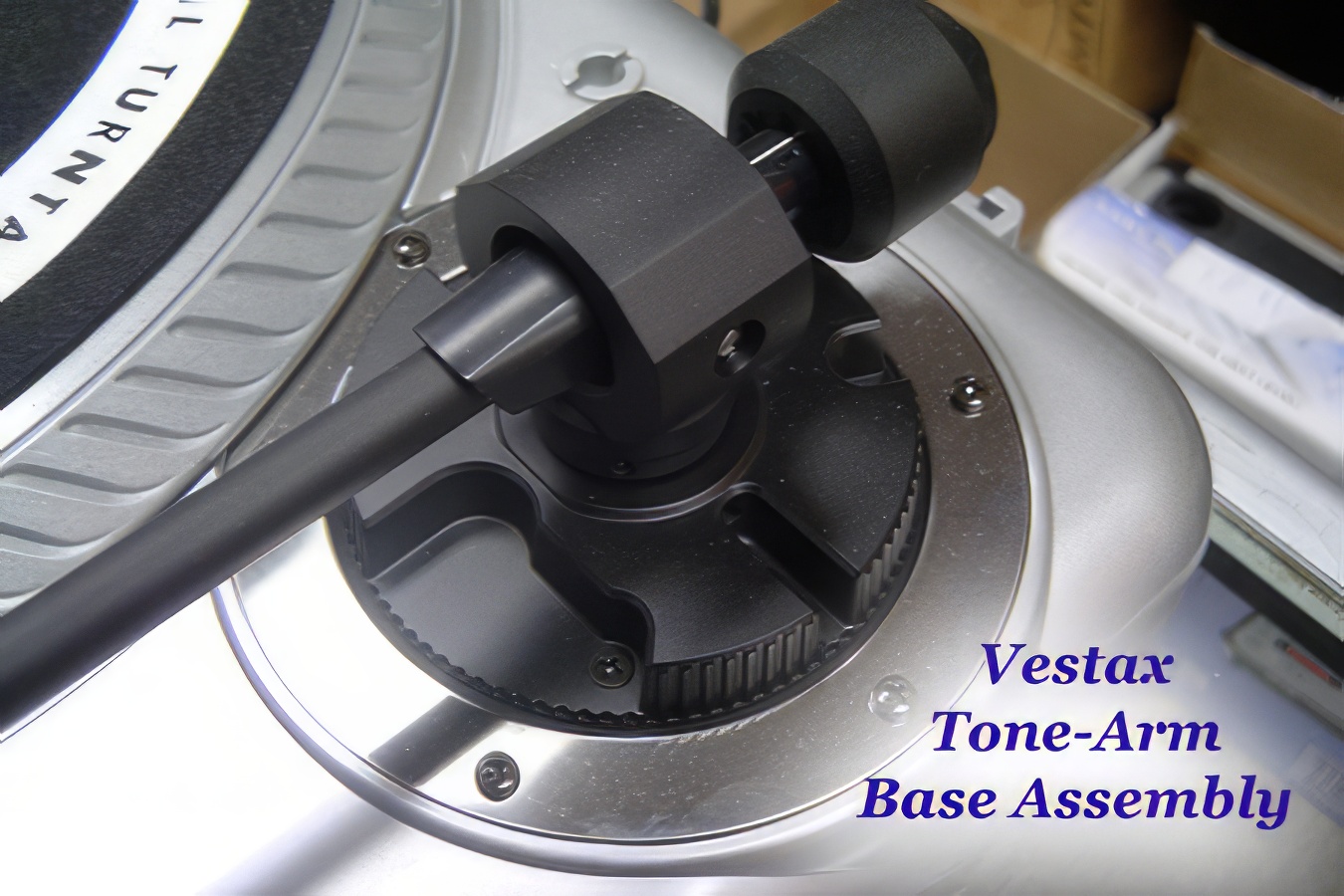 The base of the tone arm assembly on the Vestax, again more simple than on a Technics.
 The straight tone arm on this Vestax is now favored by some
turntablists and scratch DJ’s.
The straight tone arm on this Vestax is now favored by some
turntablists and scratch DJ’s.
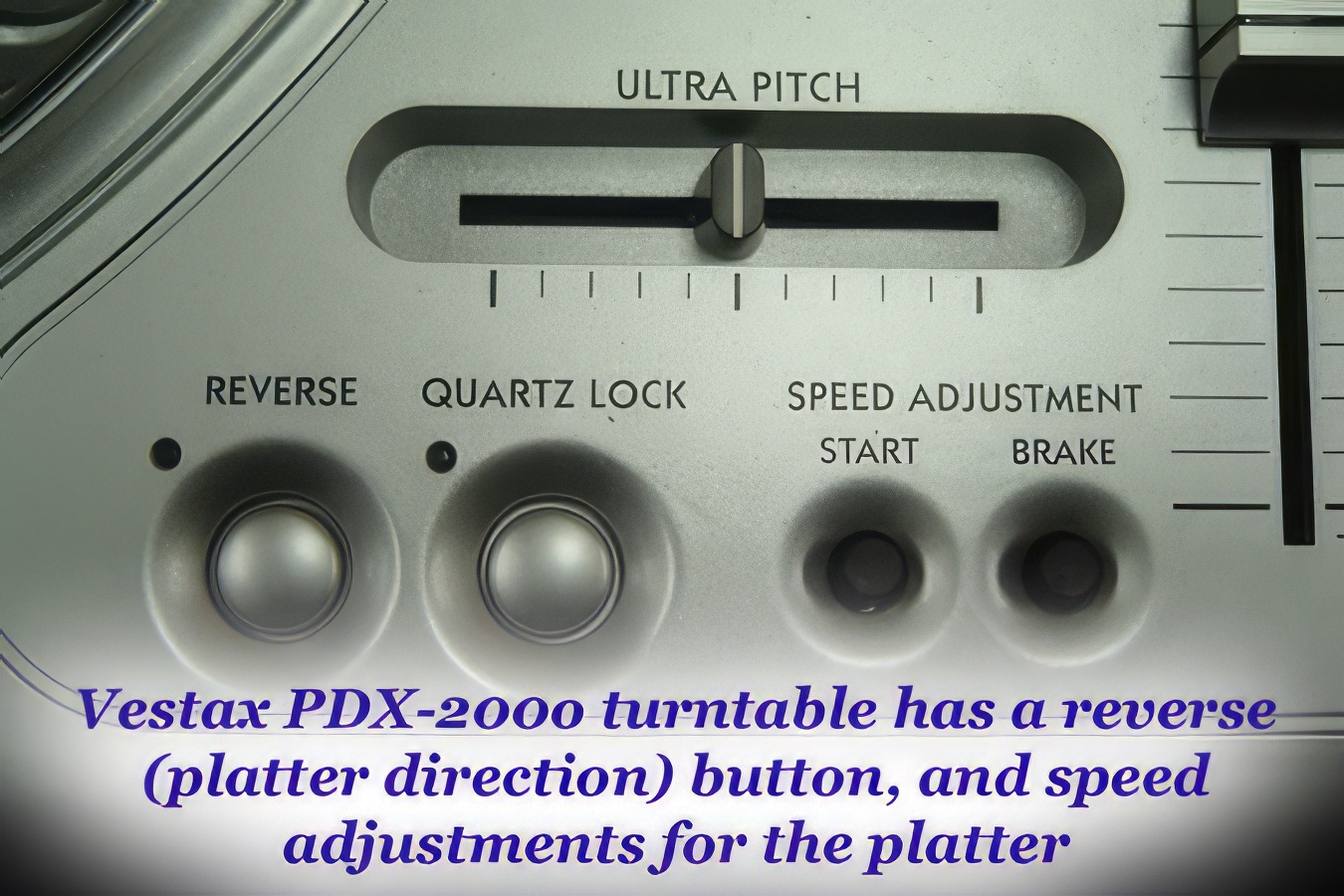 The Vestax features a reverse button for the platter, ultra pitch adjustment, and motor braking adjustments, none of which are available on the Technics 1200 series.
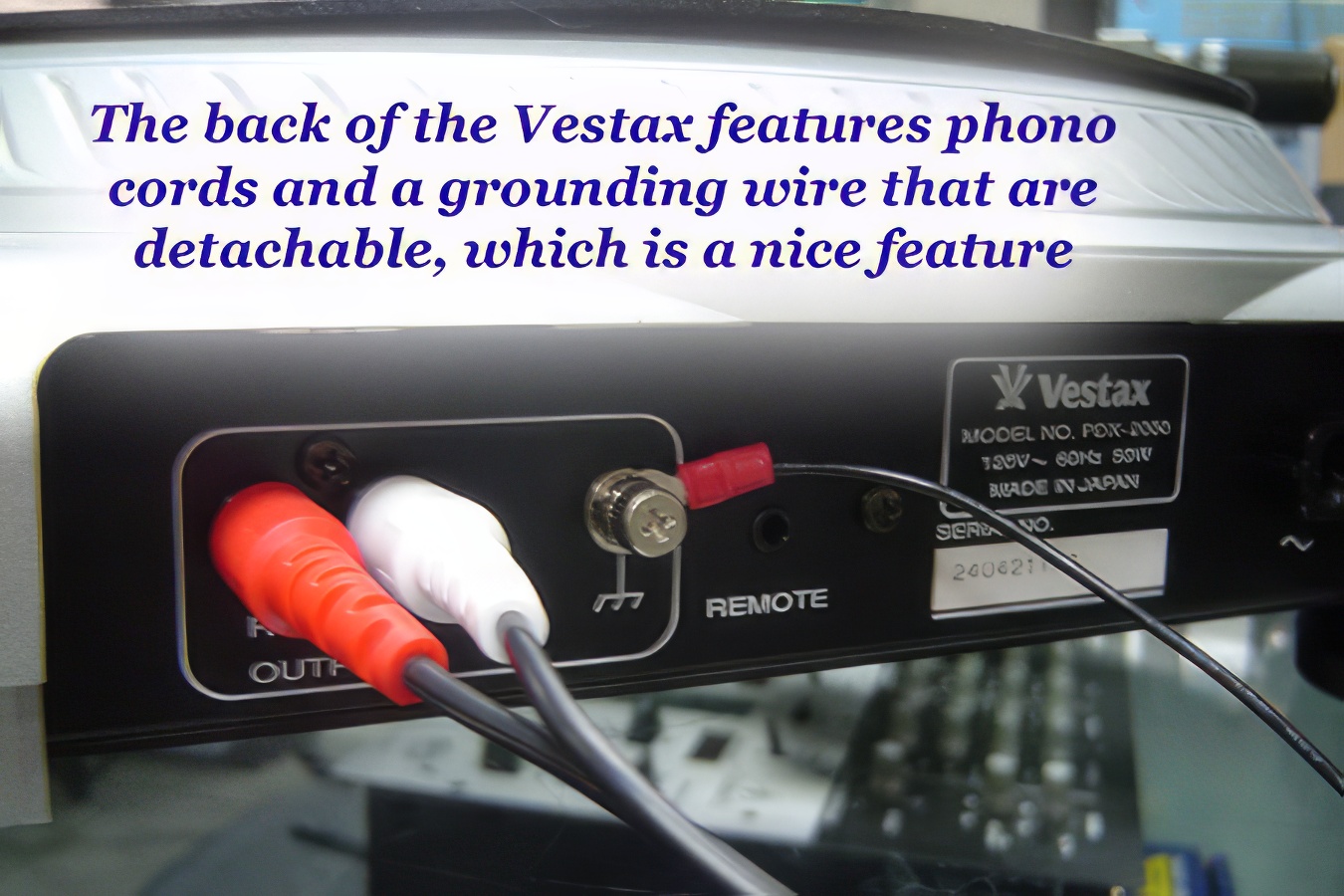 Another nice Vestax feature is the detachable signal (phono) cords and grounding wire.
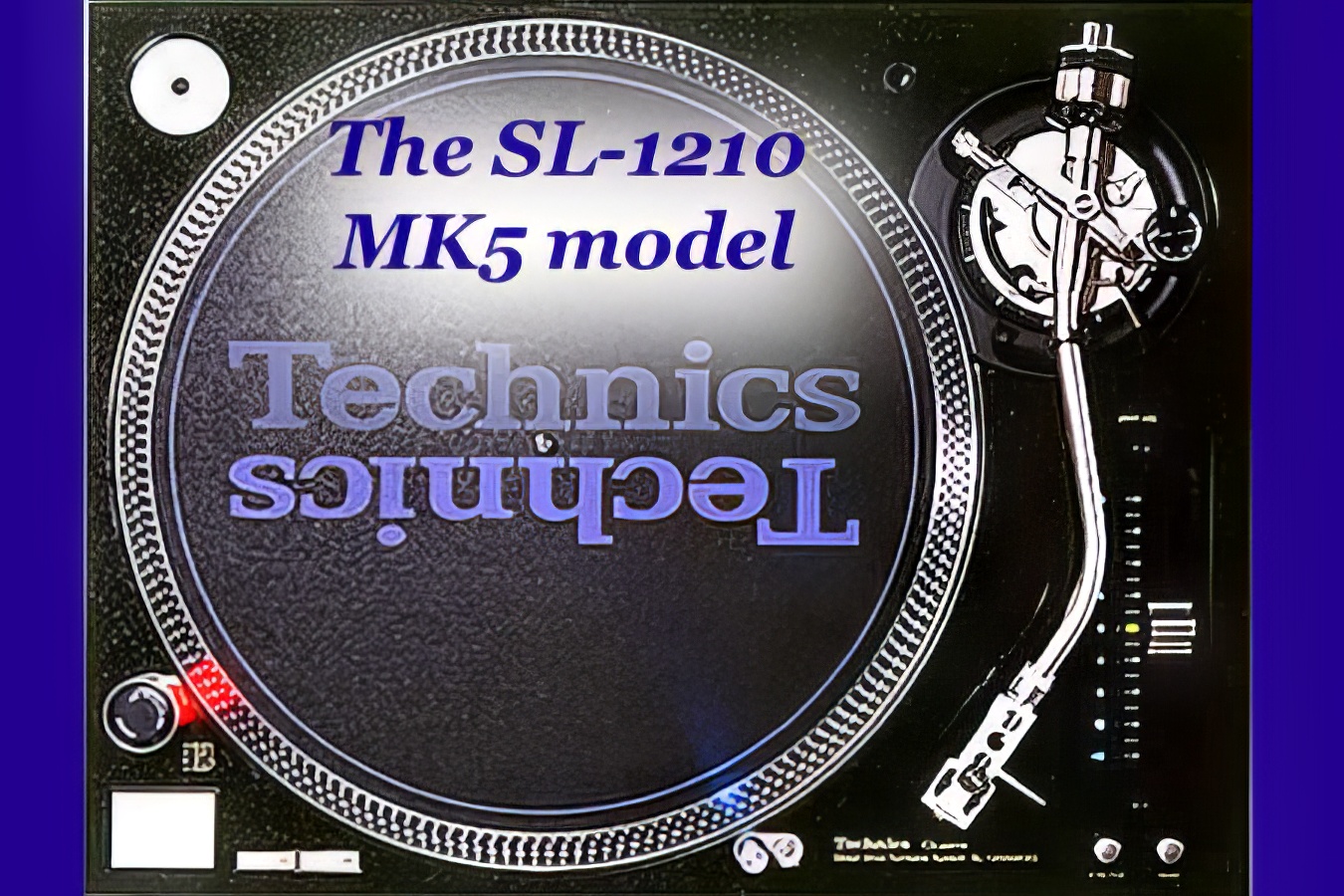 Back to the Technics 1200 series - this time the newer SL1210 MK5 model. Looks pretty.
Video Tutorials
I have a handful of video tutorials on YouTube that relate to various aspects of using turntables. Here are the links:
Tutorial for Beat-Mixing on Vinyl Turntables
How to Modify Pitch Faders on a Technics 1200
Self-Grounding a Technics 1200 Turntable
A Sample DJ Mix Recorded on Turntables
Parting Thoughts
That's about all you need to know as far as the basics go. To check up pricing on different turntables, look at a number of online equipment stores. The price you pay will usually reflect the quality of the gear. To sum up, Technics 1200's are the industry standard, and are built to last. If you can afford them, they are recommended by the majority of DJ's. They also have great resale value. If, on the other hand, you are just starting out, don't feel like you are committing a sin if you elect to buy a pair of cheaper starter decks - you can always resell them and upgrade later if you want. My only advice would be to stick to lower-end decks if you're trying to save money by getting a starter deck. If you're looking at buying a mid to mid-upper range deck right now, but think you might upgrade to a Technics deck later, then you're probably better off spending the extra money right at the start. After you've bought your decks, and are putting the system together, get another experienced DJ to look over your equipment after you've set it up if you still feel uncomfortable. If he or she makes changes to what you've done, ask why. The best way to learn is to experiment. Have fun!